Mayor’s Service Corps · Civic Service Platform
Turning a manual city service into a scalable operating system
I designed a 0→1 staff platform that helps city employees manage residents, generate snow-removal tasks, coordinate volunteer work, handle exceptions, and report program outcomes—all in one connected system.
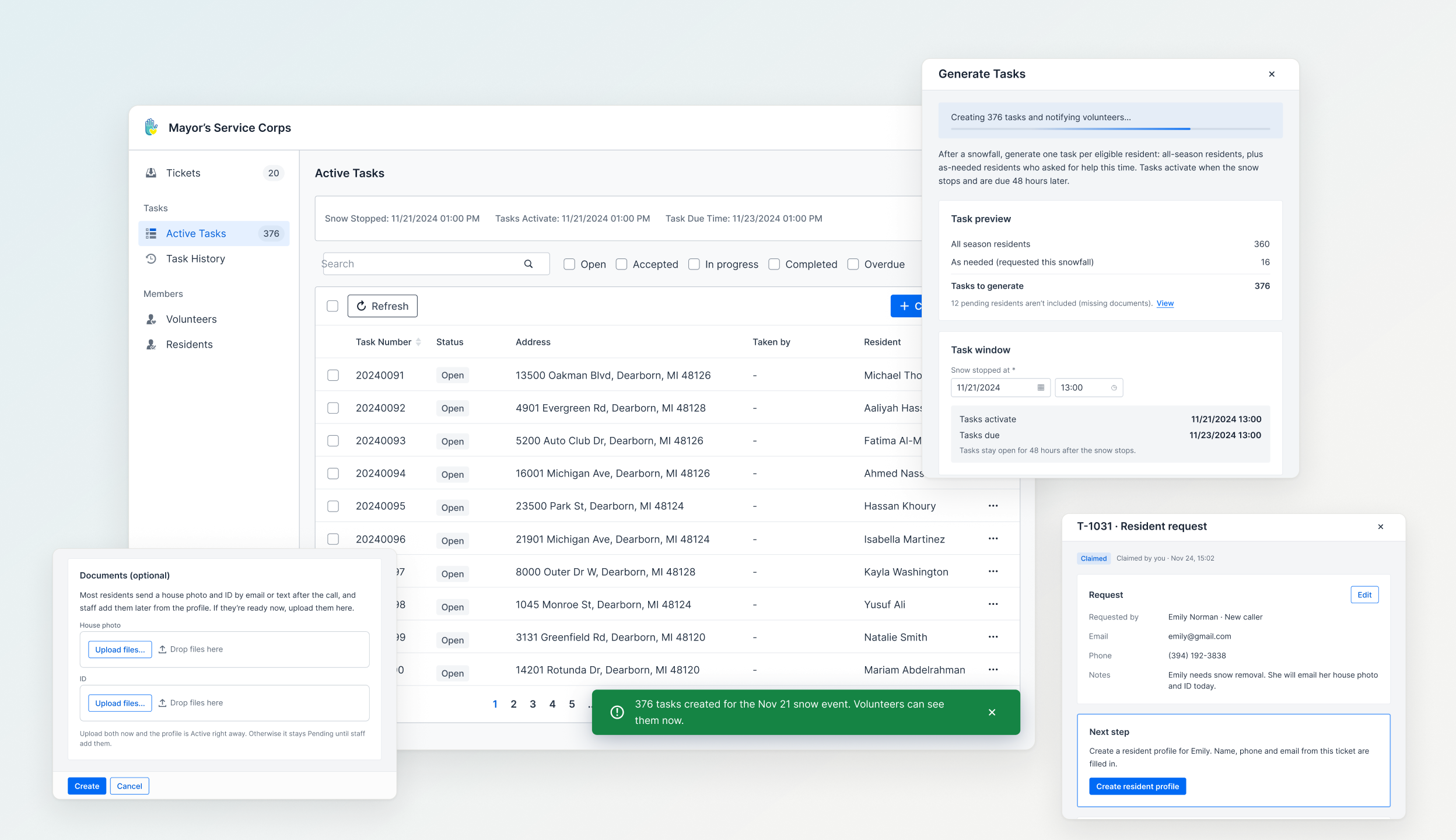
The system
One snowfall, one connected system
A single snowfall sets off an entire chain of work: residents request help, staff verify eligibility, tasks are generated, volunteers claim and complete them, exceptions are resolved, and the city tracks the outcome.
What looks like a simple task dashboard is actually a system connecting residents, volunteers, city staff, snow events, deadlines, and exceptions.
Core objects
- Resident
- Snow Event
- Task
- Volunteer
- Ticket
The problem
One snowfall triggered hours of manual coordination
Before the platform, staff relied on phone calls, spreadsheets, and fixed assignments to coordinate snow-removal requests.
Volunteer availability was unpredictable. When someone dropped out or skipped a task, staff had to manually follow up, reassign work, and piece together what had happened across different records.
Before workflow
- Scattered records
- Manual assignment
- Repeated follow-up
- Limited visibility
The problem wasn’t just inefficiency. The entire service depended on people manually keeping the system together.
The turning point
I thought I was digitizing a workflow.
I was actually defining its rules.
My first instinct was to turn the existing process into a digital workflow.
But once I connected the screens into complete flows, harder questions surfaced:
Q01
When does a task become active?
Q02
What happens if it snows again?
Q03
Who is eligible to receive service?
Q04
What happens when work isn’t finished on time?
The rules live between the objects
The challenge shifted from designing individual screens to defining how the system should behave.
Product decision 01
One rule simplified the entire time model
My original design asked staff to manage three separate moments: when snow started, when tasks should activate, and when tasks were due. Each introduced additional inputs and dependencies.
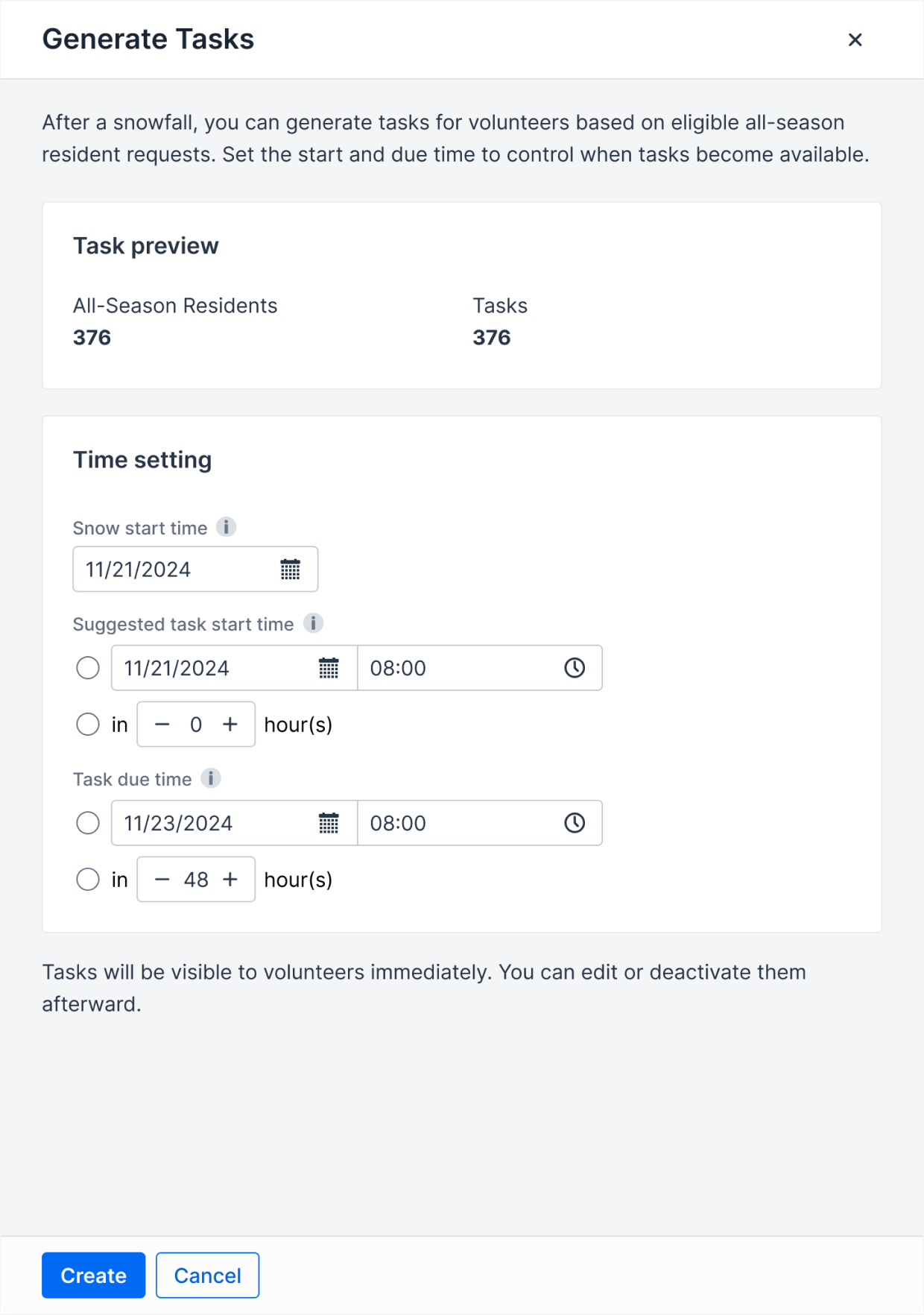
Before · 3 inputs
The actual policy was much simpler:
Staff now enters only “Snow stopped at.” Tasks activate at that time, and the system automatically calculates the 48-hour deadline.
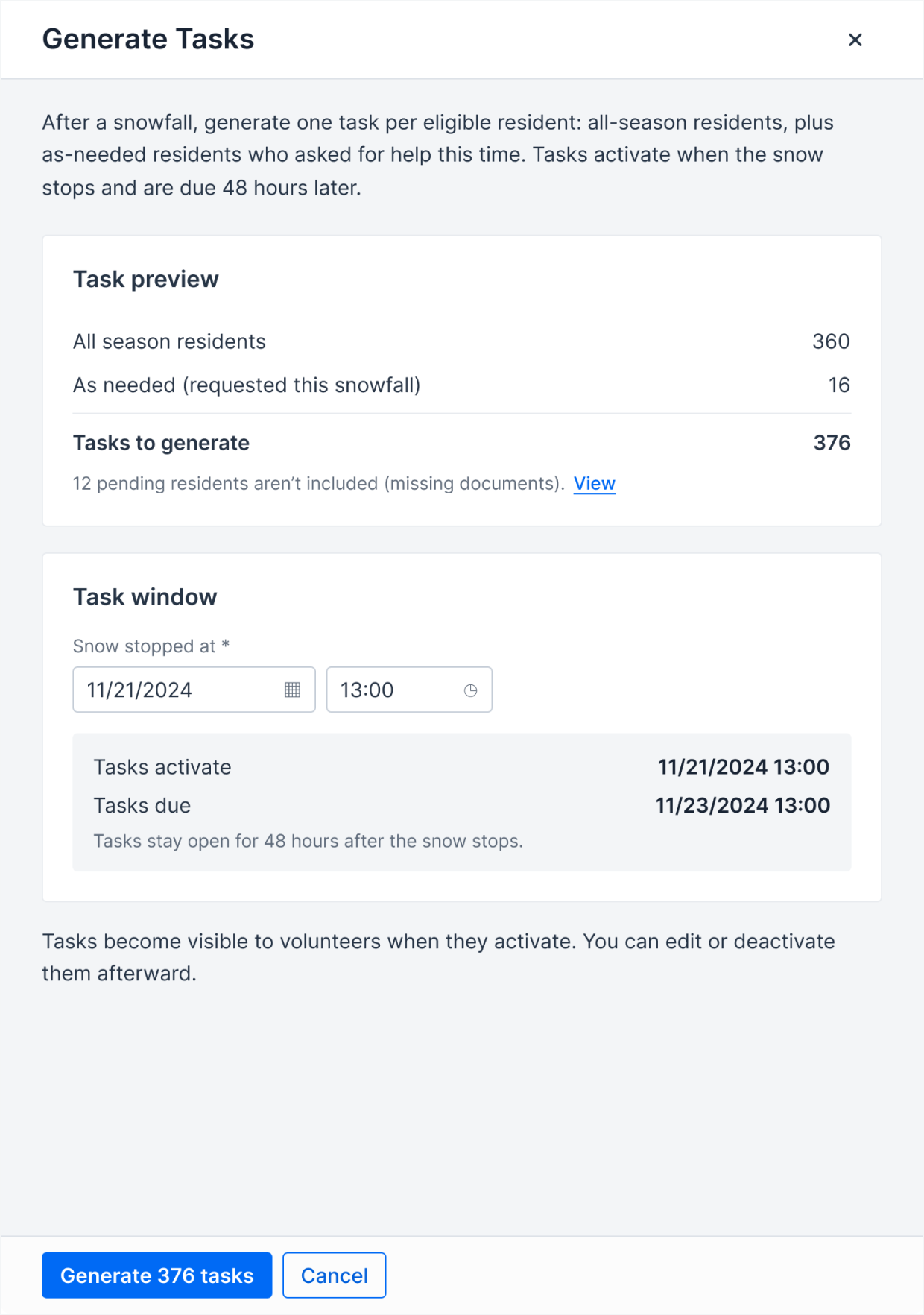
After · 1 input
One input replaced three dependent time controls.
Product decision 02
Designing for when reality changes
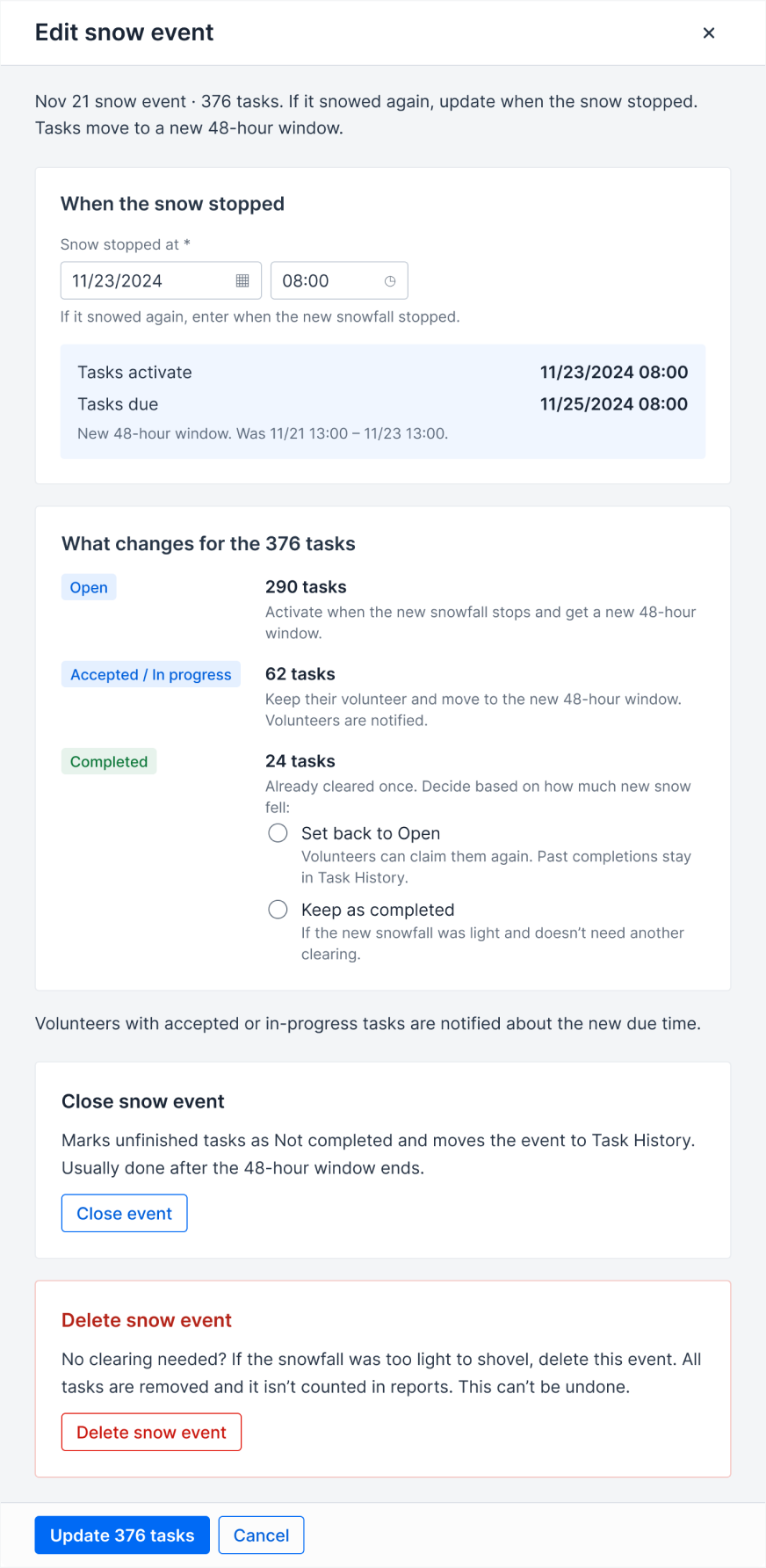
Then came an edge case that broke the happy path:
But editing the time wasn’t really a separate task—it happened because conditions had changed. So I stopped creating more actions and modeled everything around the snow event itself.
Before · 3 actions
After · 1 context
When snowfall continues, staff updates the “Snow stopped at” time. The system recalculates the 48-hour window, while staff decides whether completed tasks need to be serviced again.
Instead of introducing a new “Reopened” status, those tasks simply return to Open, while their previous completion remains in Task History.
When it snows again
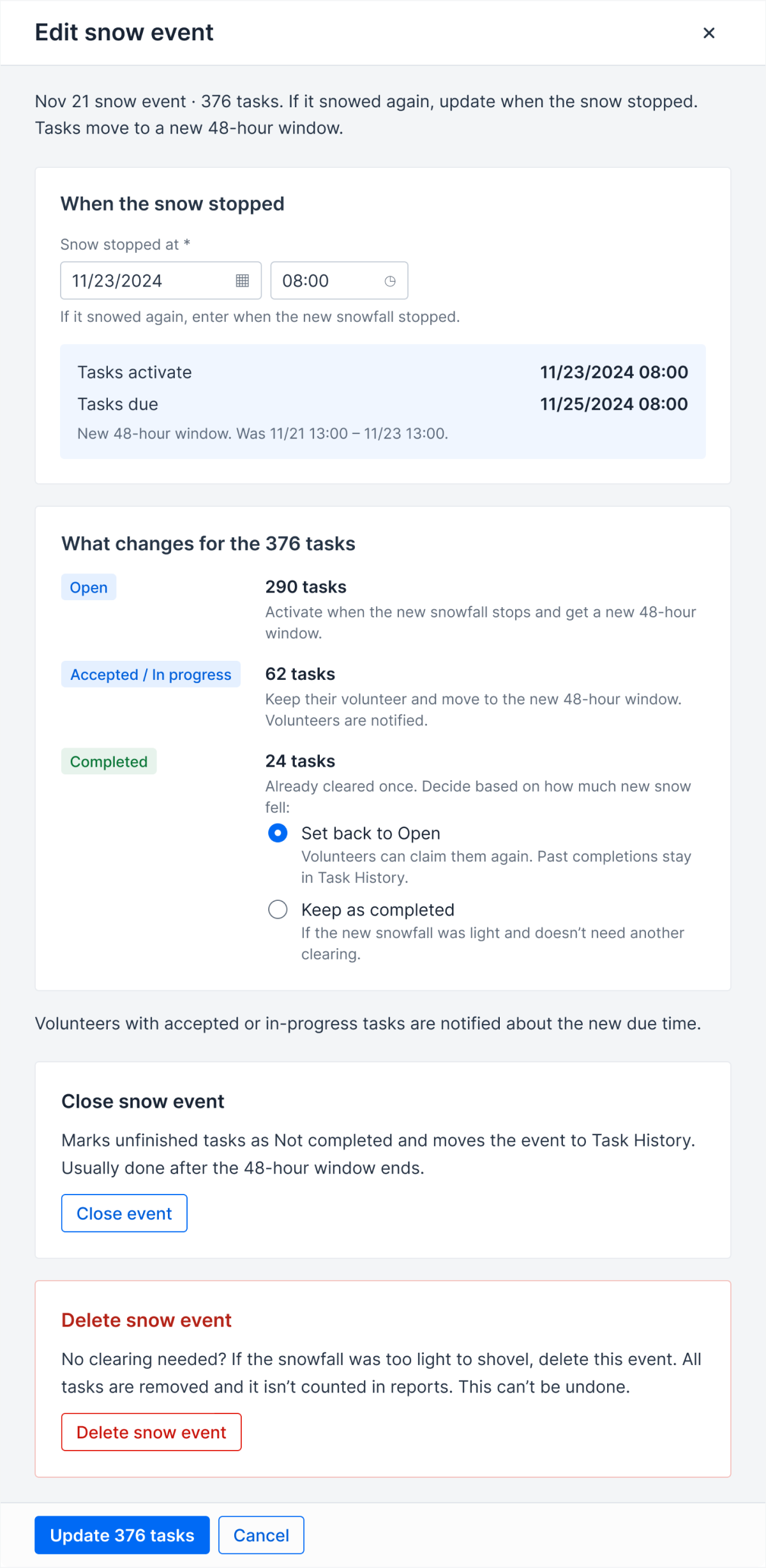
One event context
- 01Update snow stopped time
- 02Handle completed tasks
- 03Extend deadline
- 04Close event
- 05Delete event
Product decision 03
Designing exceptions without designing endless screens
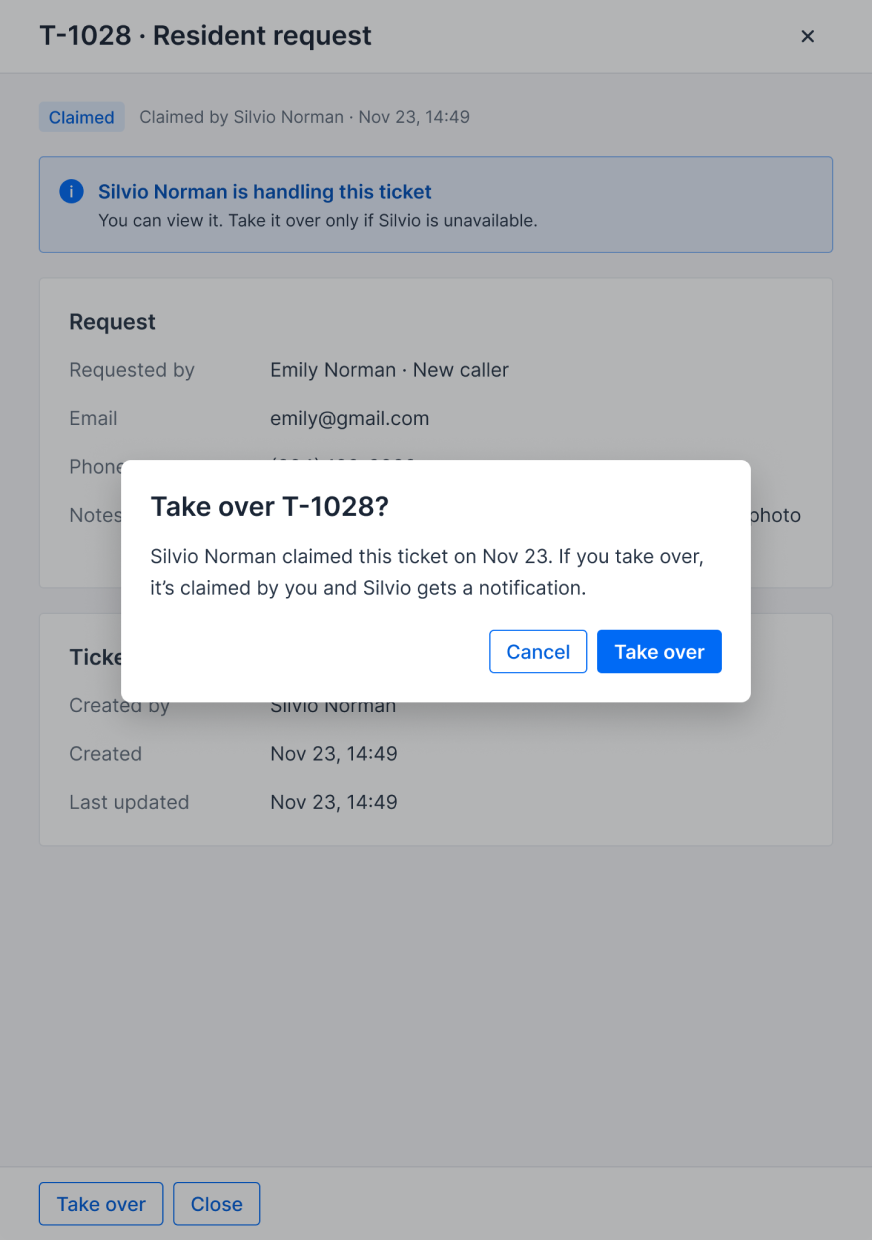
Tickets capture the cases that need human intervention.
Initially, I designed different resolution interfaces for different ticket types. It worked—but every new ticket type would require another interface and another implementation path.
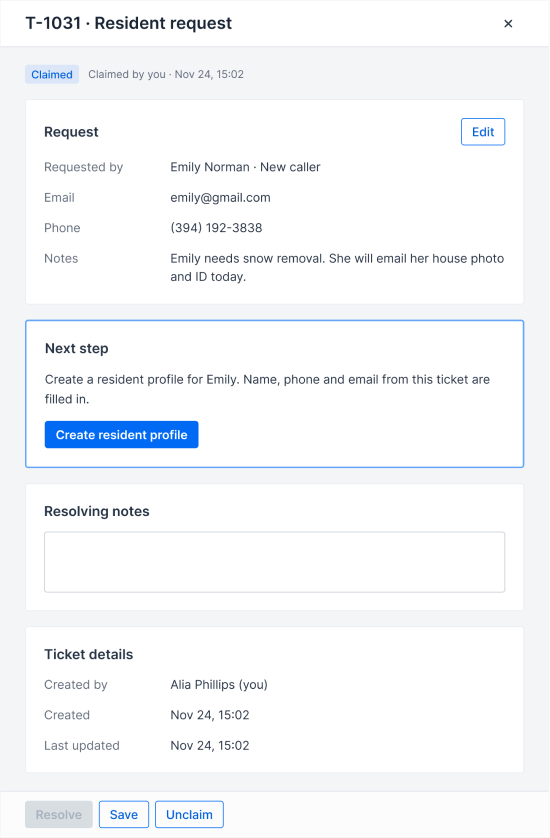
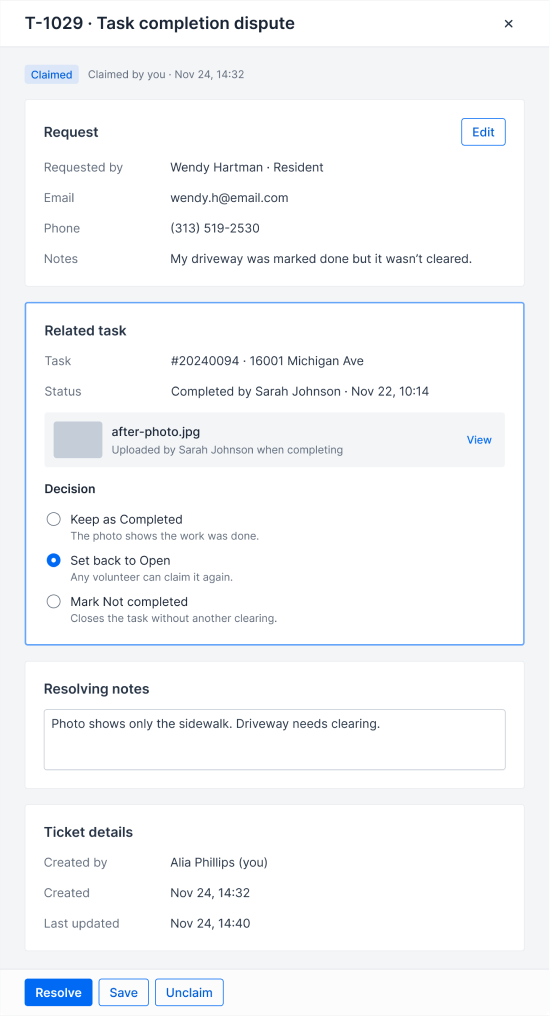
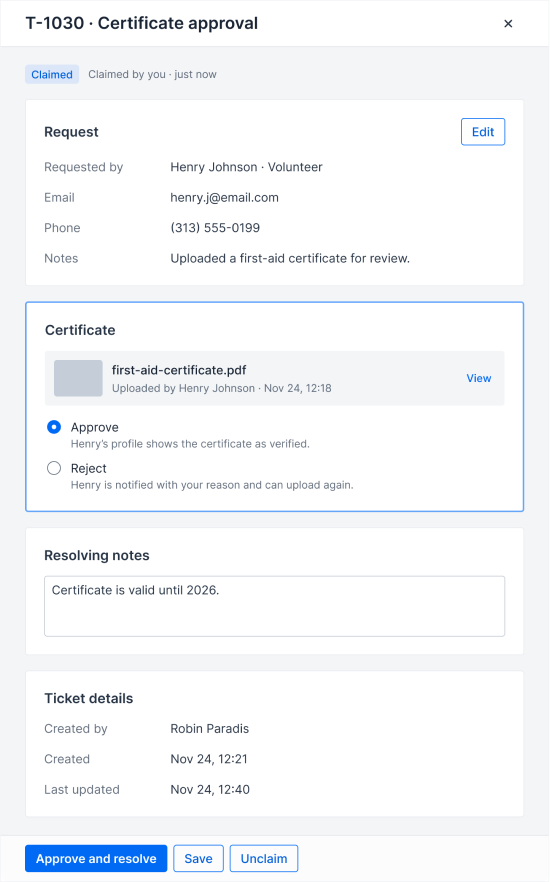
So I asked a different question:
I consolidated ticket handling into one reusable panel with five consistent sections:
- Status
- Request
- Related Record
- Resolution
- Ticket Details
Only two things change by ticket type: what record it references and what outcomes are available.
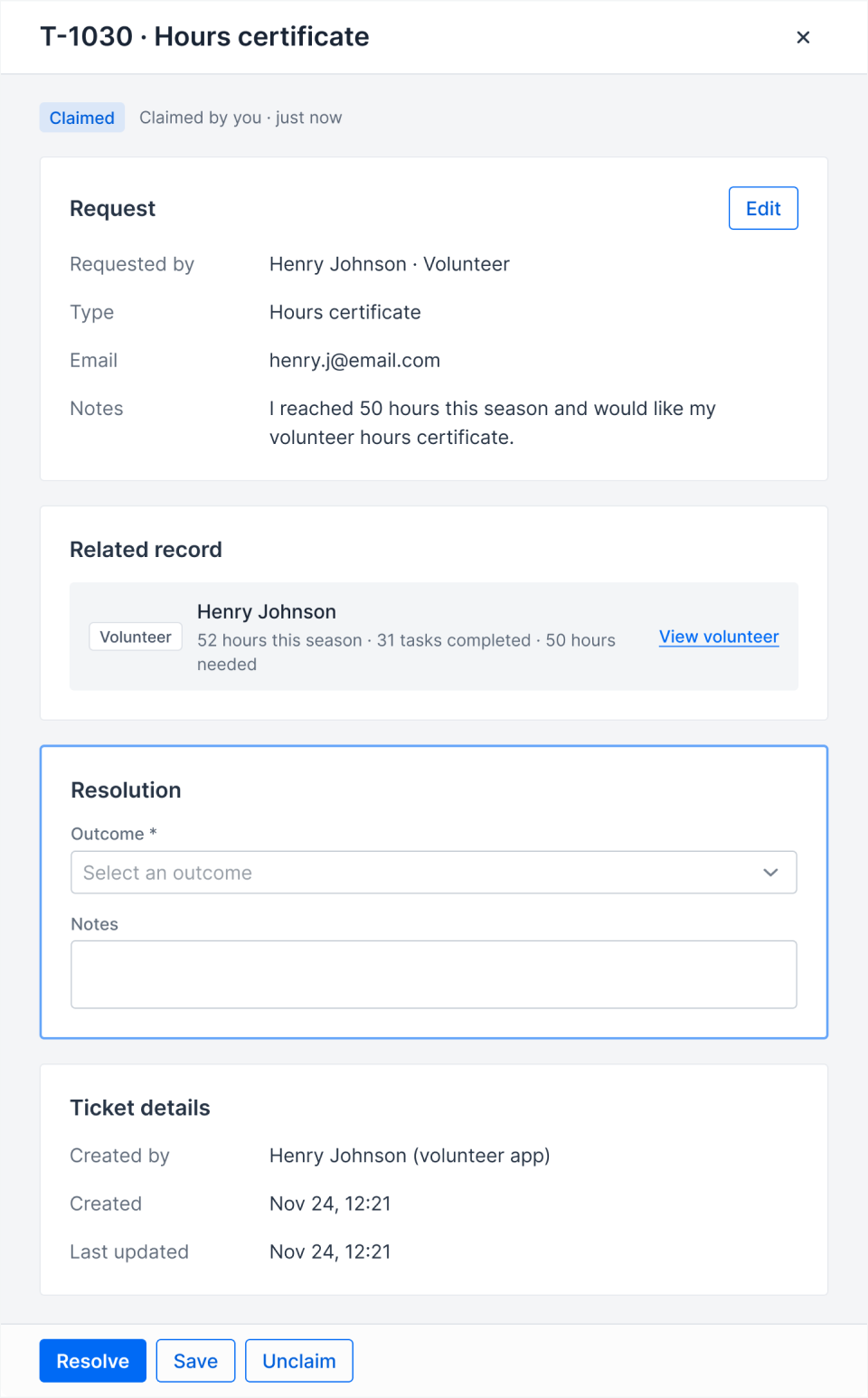
Configuration, not new screens
I turned variation into configuration.
Designing around reality
Not everything happens inside the product
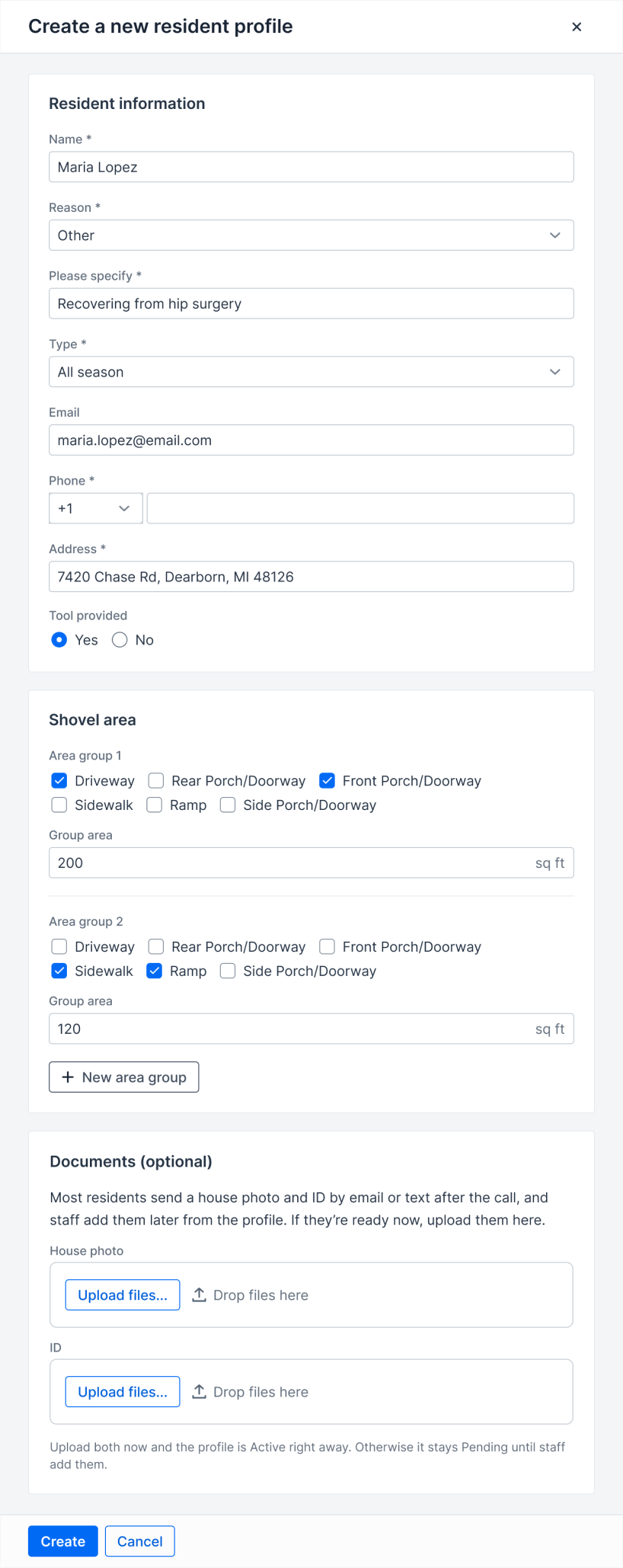
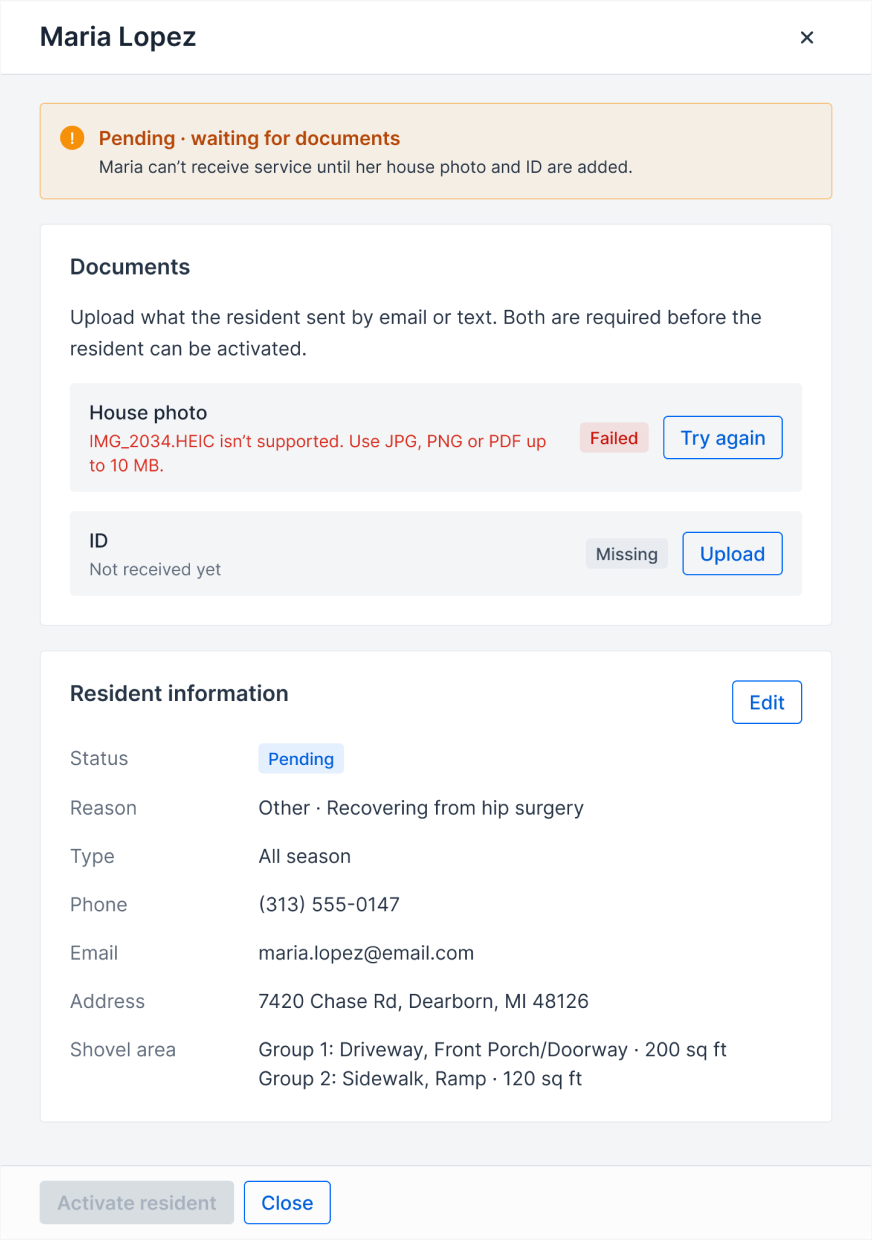
Residents often request service by phone, but they may not have their eligibility documents ready during the call.
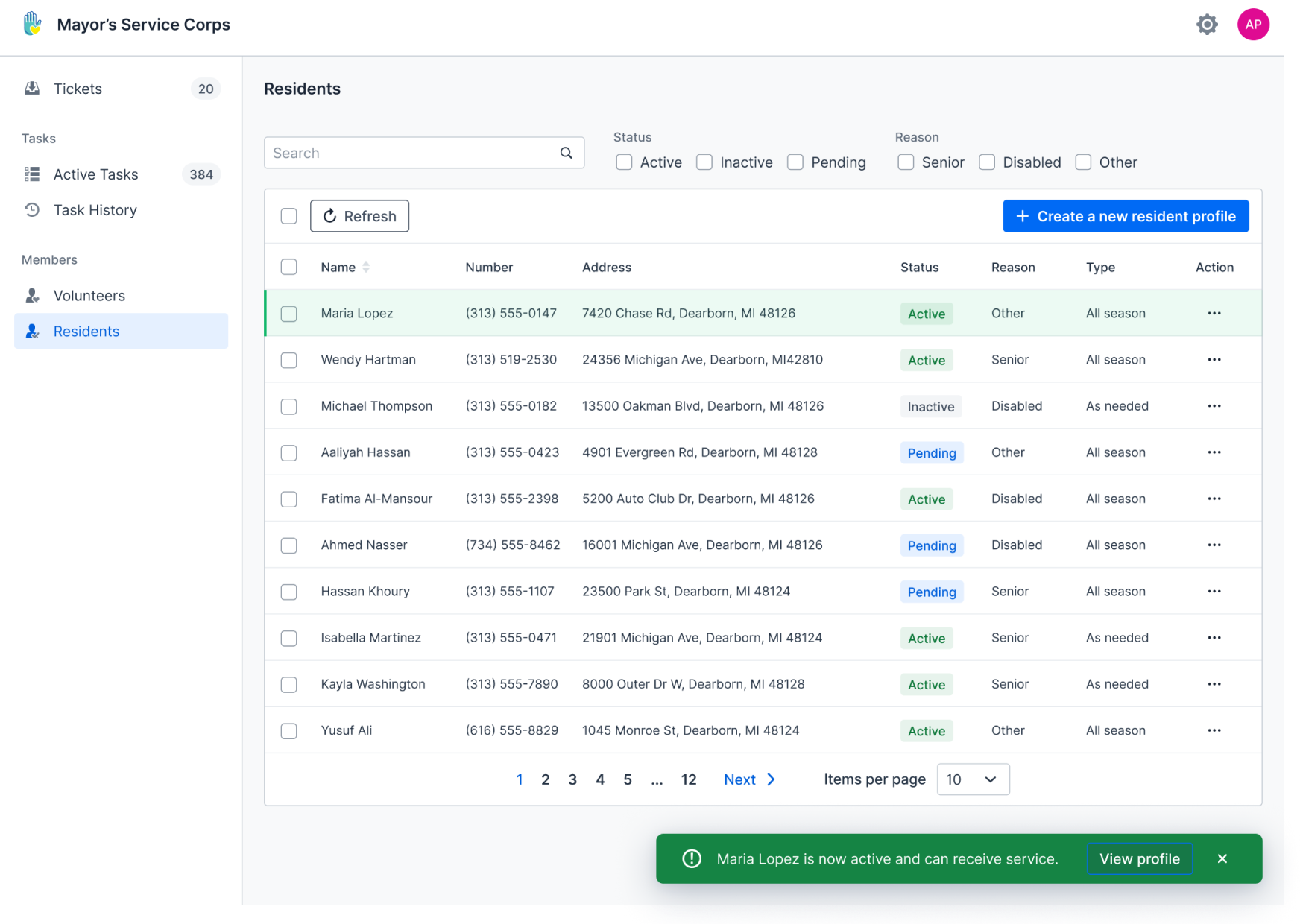
Instead of forcing document upload into intake, I designed the resident lifecycle around what actually happens offline. A resident can be created as Pending, send documents later by email or text, and become Active once staff uploads and verifies everything.
STEP 01 · PENDING
STEP 02 · DOCUMENTS
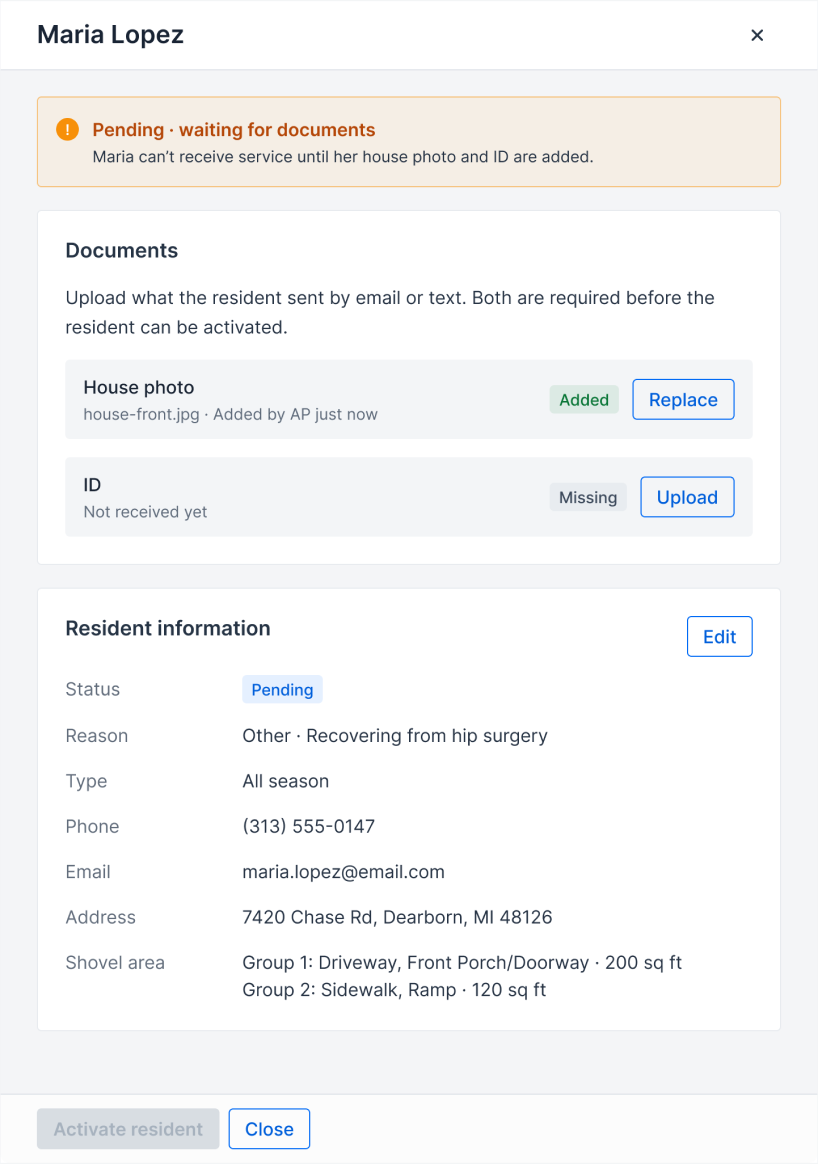
↓ Staff verifies everything and activates the resident
STEP 03 · ACTIVE
Full system
Seven workflows. One connected system.
The final platform connects the full lifecycle of the service—from resident intake and snow-event setup to task completion, exception handling, and reporting.
Resident
↓ Active residents feed task generation
Snow event
↓ Each event creates tasks
Task
↓ Exceptions from any object become tickets
Tickets
↓ Everything rolls up
Report
Seven flows
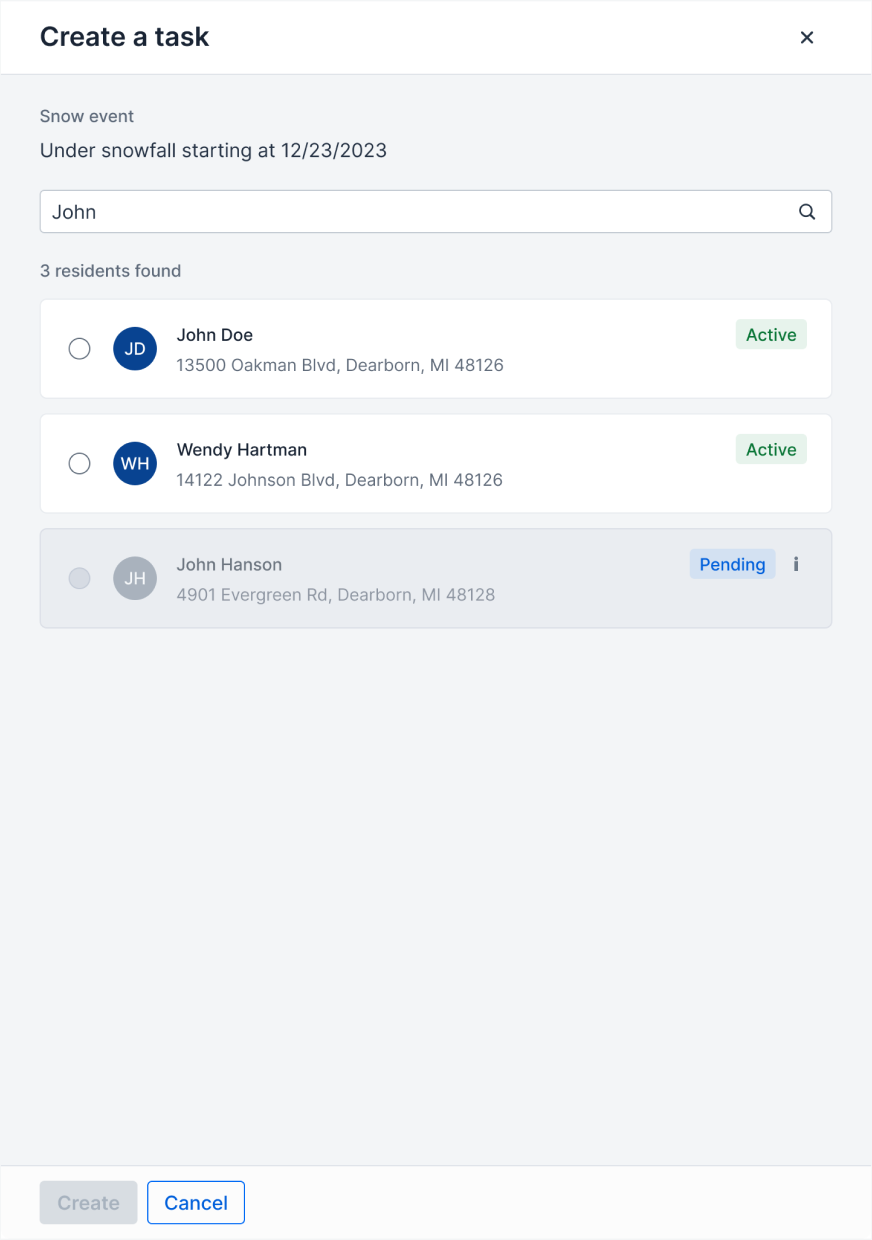
- Create Task
- Resident Intake
- Document Activation
- Generate Tasks
- Edit Snow Event
- Tickets
- Reports
Edge cases
The happy path was only half the product
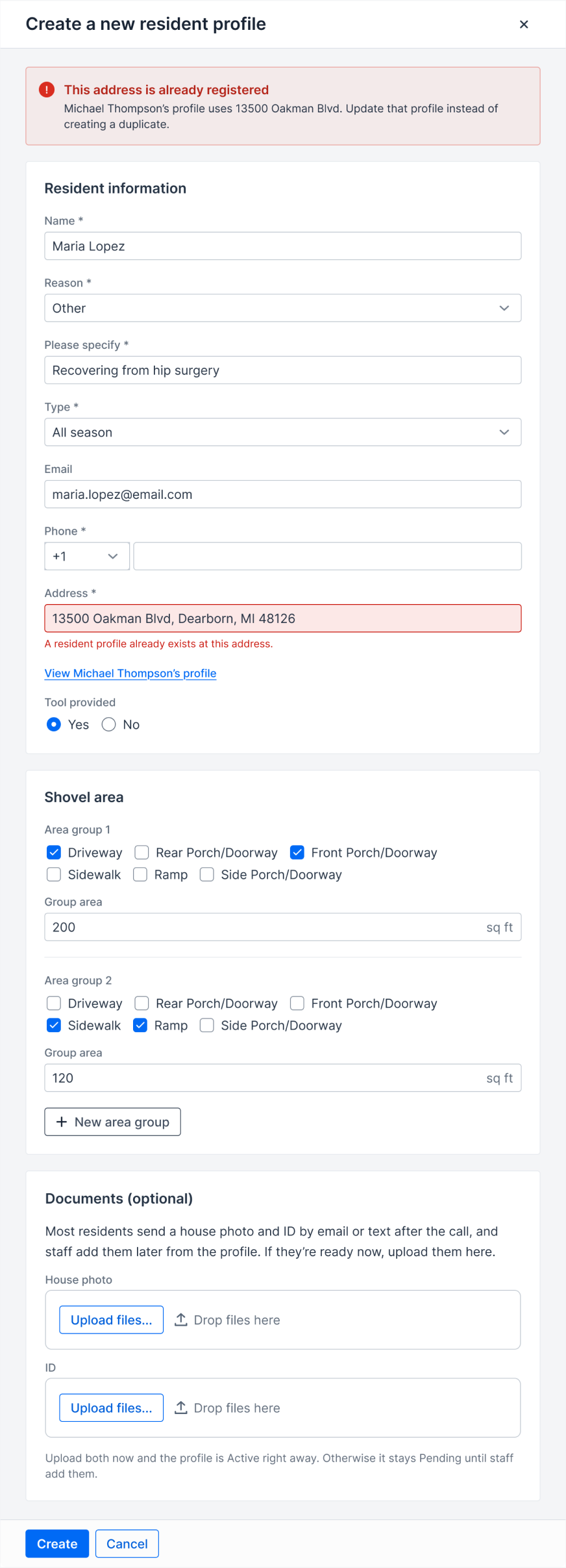
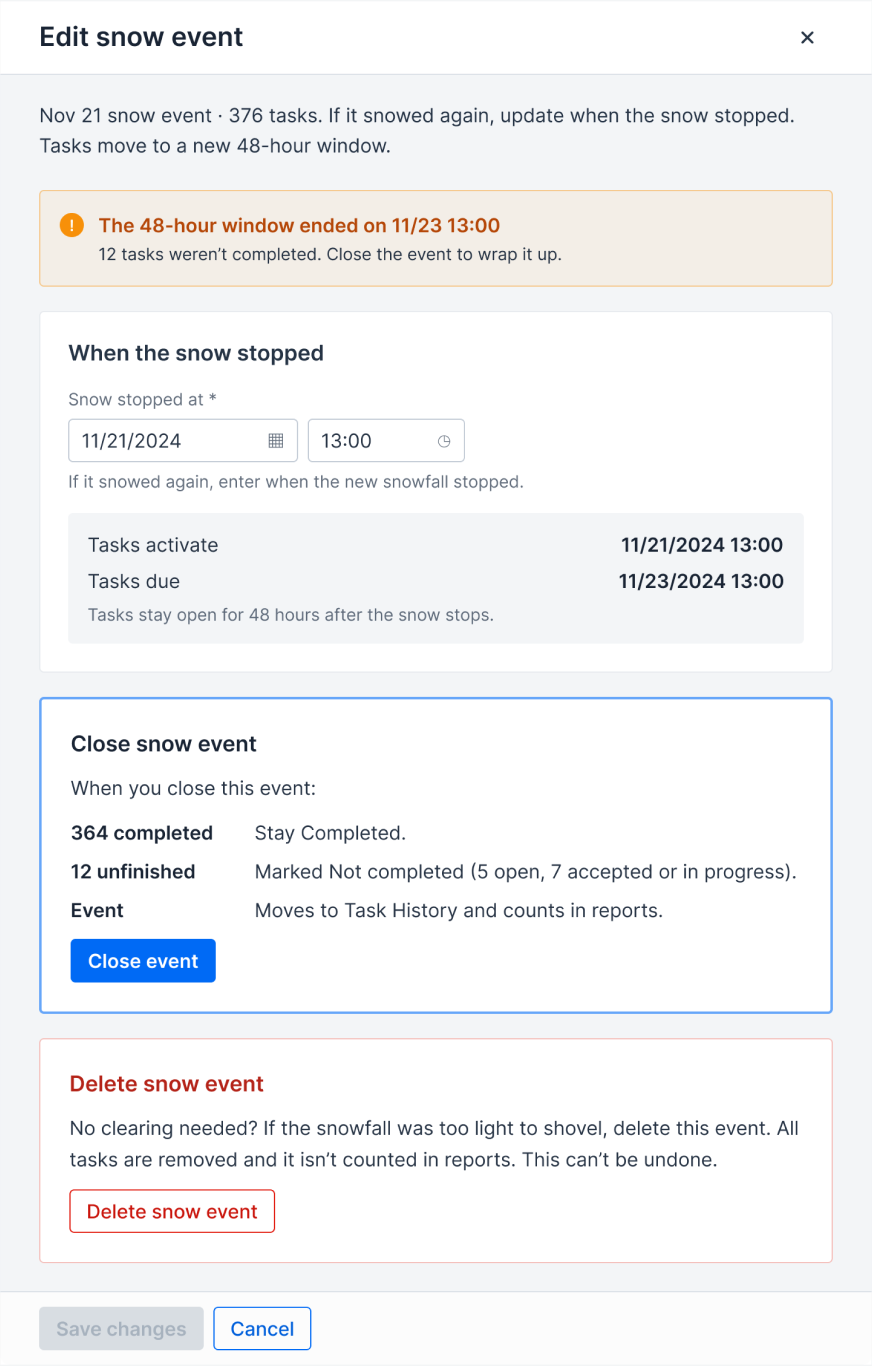
I treated edge cases as part of the core experience—not cleanup after the main flow was finished. Each one helped expose another rule the system needed to make explicit.
01
Duplicate address
02
Missing documents
03
Upload failure
04
Snow continues
05
Deadline missed
06
Staff unavailable
Reports
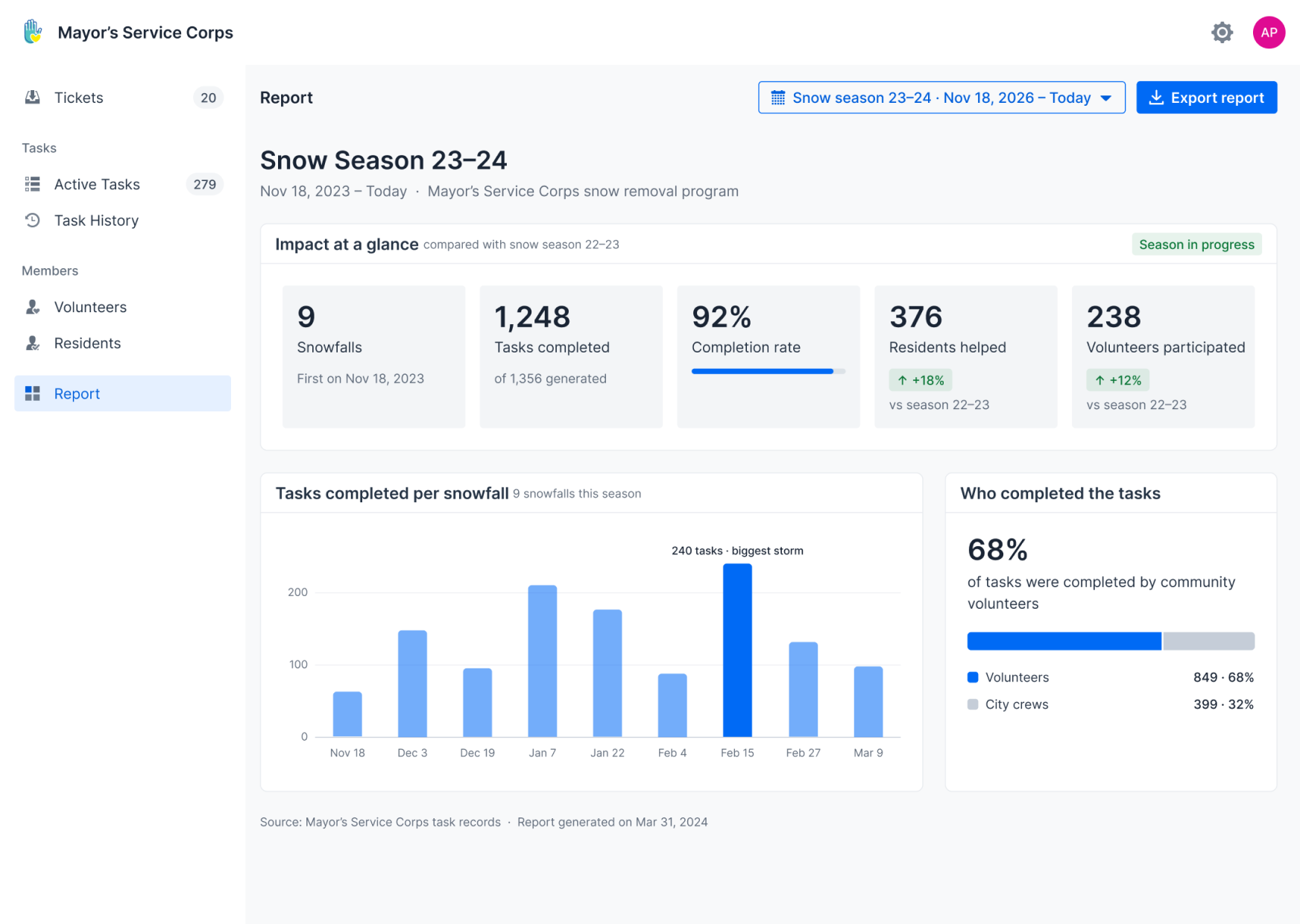
Turning operations into a story the city can share
Once the workflow was connected, the same system could show what the program accomplished across an entire snow season.
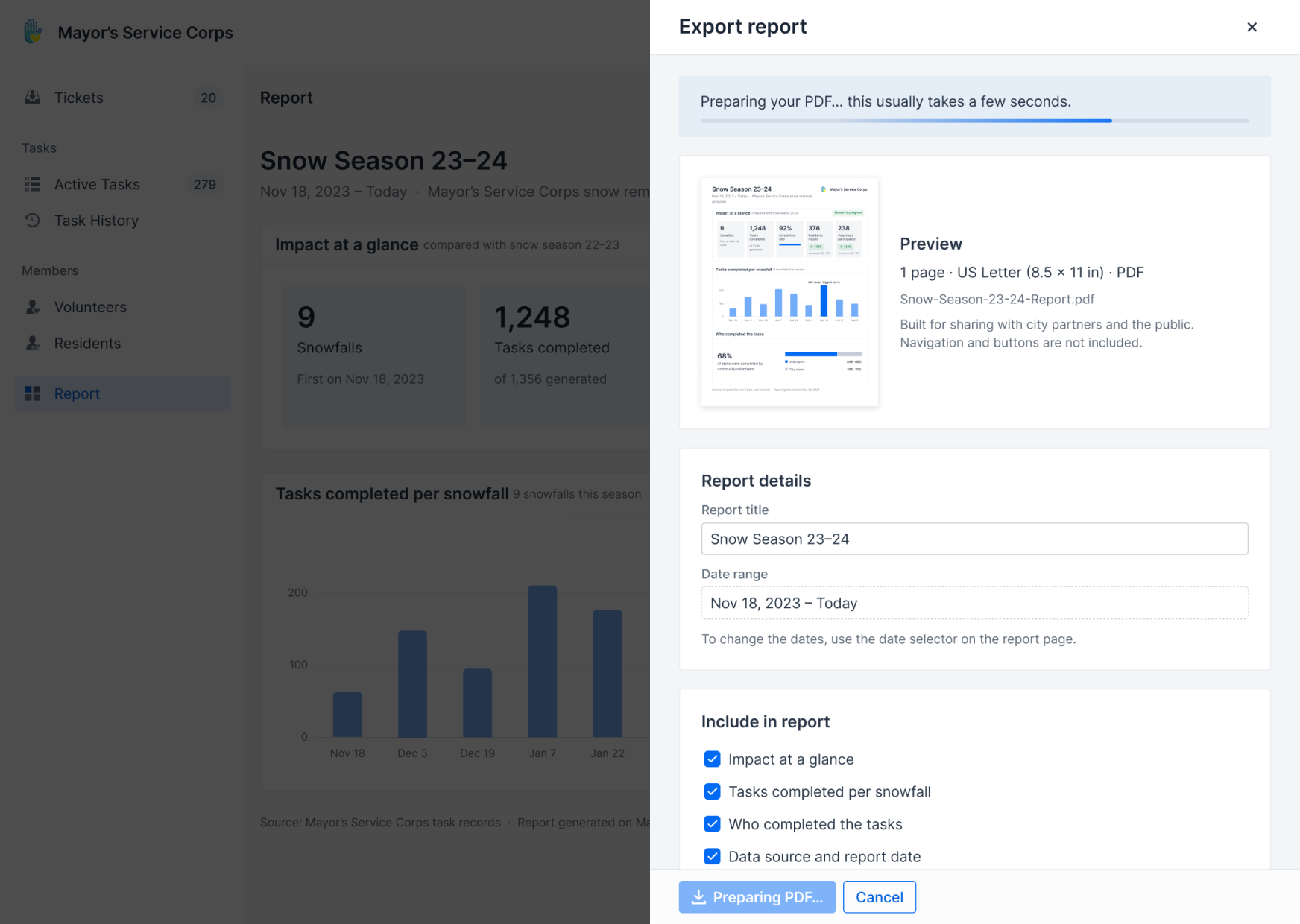
I redesigned reporting around external communication—not daily operations—highlighting snow events, completed tasks, completion rate, residents served, and volunteer contribution. Staff can export the results as a one-page report for city communication and outreach.
What the report highlights
- Snow events
- Tasks completed
- Completion rate
- Residents served
- Volunteer contribution
Impact
From manual coordination to civic infrastructure
The platform turned a fragmented service into a workflow staff could execute, track, and scale.
For the program
More volunteer participation
Volunteers could independently discover and claim work.
Higher task completion
Every task had a visible lifecycle from Open to Completed.
Greater service capacity
The program could coordinate support for more residents.
For staff
Less manual coordination
Fewer manual assignments and follow-ups.
Faster task management
Tasks could be generated and updated in batches.
Shared visibility
Residents, tasks, snow events, and exceptions lived in one system.
The system made the city’s goodwill actionable, trackable, and scalable.
Reflection
I started by designing a dashboard.
I ended up designing its rules.
This project changed how I think about complex product design.
The hardest problems weren’t individual screens. They were the invisible rules connecting them: when a task becomes active, who is eligible, what happens when conditions change, and how exceptions return to the system.
My role evolved from designing interfaces to defining workflows, states, edge cases, and implementation logic with stakeholders and engineers.
Most importantly, I learned that not every decision belongs to the interface. Some belong to staff, some to policy, and some to the system. Good product design starts by knowing the difference.
The takeaway
Good systems don’t just support the happy path. They make messy reality manageable.