TrackAI · Truck auto-driving monitor & data operation system
A driver-facing HMI and analyst dashboard for autonomous trucking
How did I build a driver-facing HMI and analyst dashboard to turn complex autonomous trucking data into actionable, real-time insights?
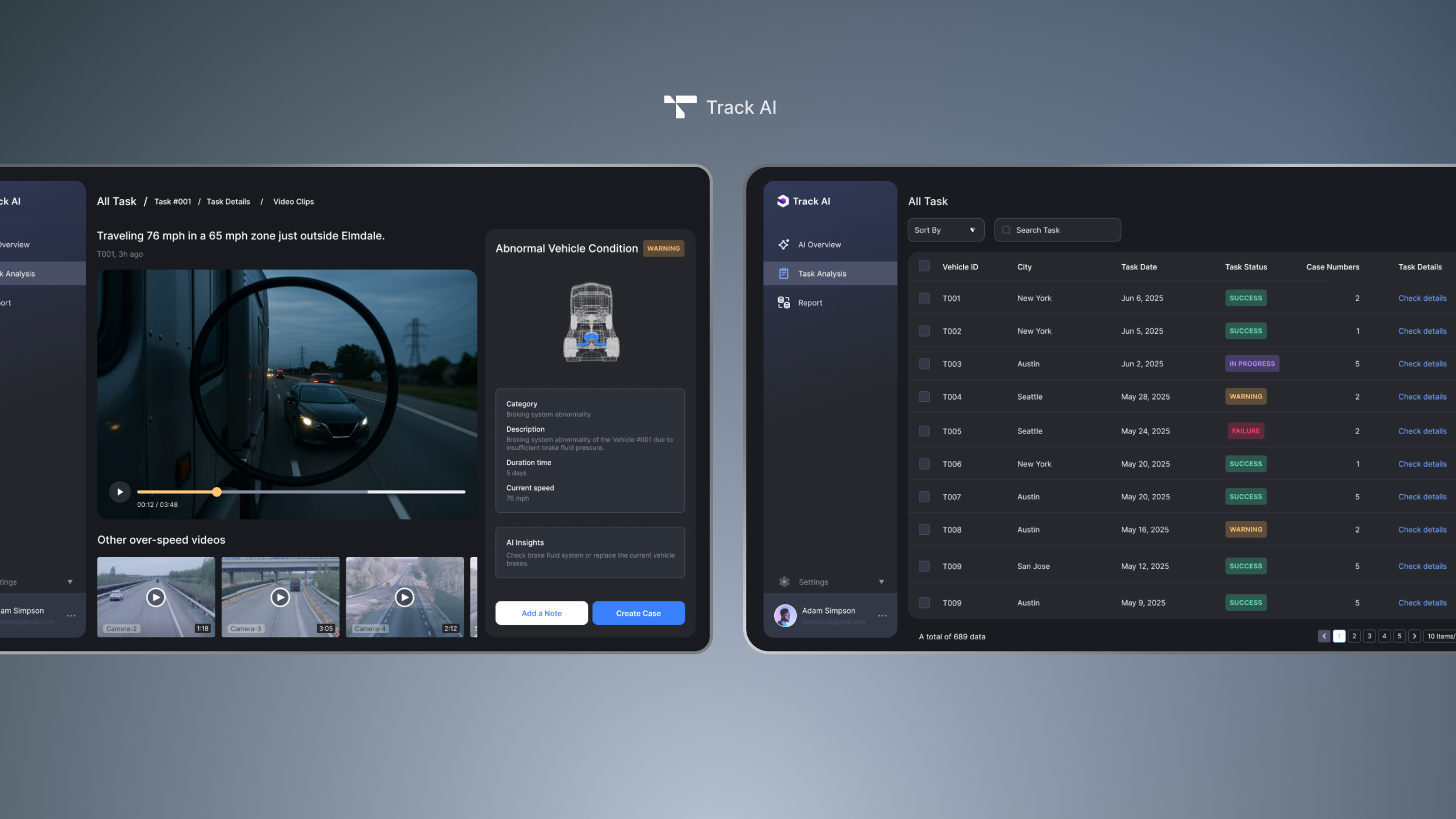
Background
A startup tackling complexity in autonomous truck testing
This project was designed for a stealth-stage startup developing AI-assisted autonomous trucking systems.
At the system testing stage, every trip generates large volumes of complex sensor, behavior, and driver-related data. DataOps teams faced fragmented tools, buried insights, and inefficient review workflows.
Problem
Disjointed tools and overwhelming data slowed down operations
Multi-role mismatch
Existing systems were not designed for multi-role workflows (engineers, operators, safety leads).
Fragmented tools
There was no unified platform to manage task data, video footage, and risk flags.
Inconsistent tools
The company needed to standardize the backend tool and the HMI, ensuring visual and functional consistency.
No predictive insight
The company wanted to embed AI-driven predictions to support future risk detection and pattern learning.
Design goals
Create a unified, intelligent, and visually consistent system
Design a unified management system that:
Unified data hub
Centralizes driving task data, risk signals, and system feedback
AI-assisted labeling
Allows AI to assist in event tagging, confidence prediction, and case generation
Consistent design language
Ensures HMI and backend tools share the same design language and interaction principles
Real-time & post-drive support
Streamlines both real-time support for safety drivers and post-trip analysis for engineers
Design highlight 01
Data Tool — Modular architecture
3 focused modules for scalable data review — AI overview, task analysis and report.
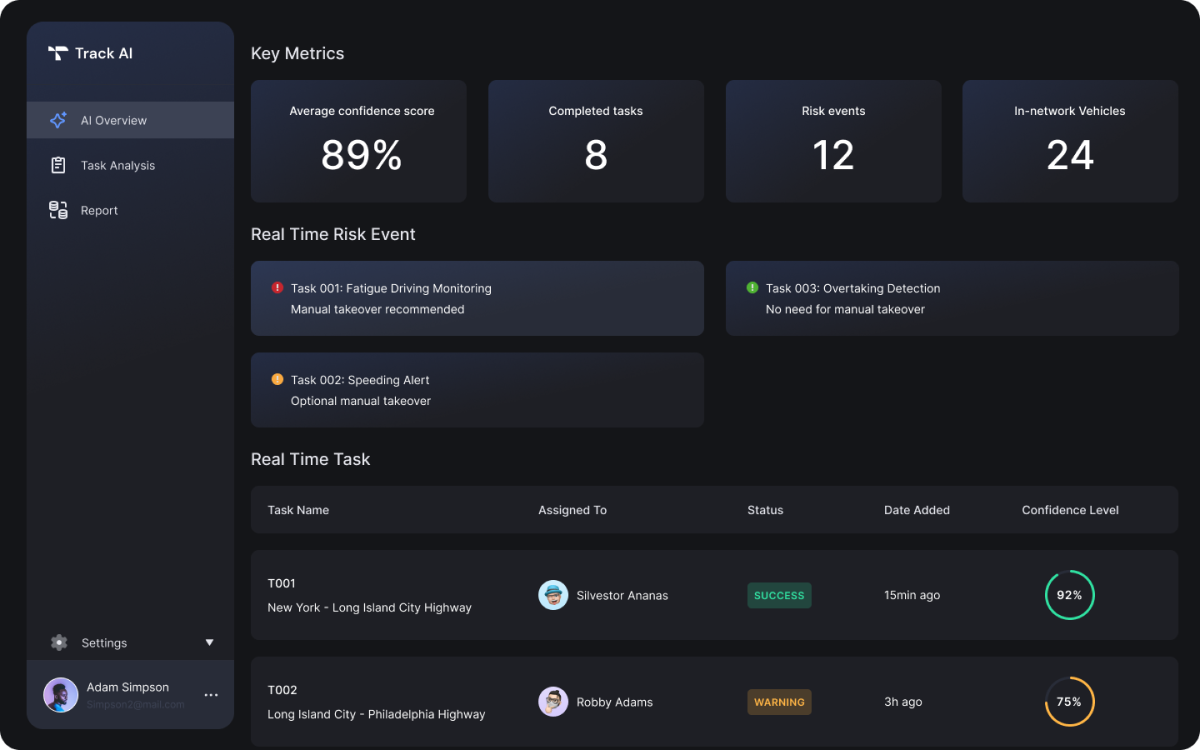
Module 01
AI Overview
• Surface key metrics (confidence, tasks, risks)
• Show live risk feed and task status
→ Helps ops teams prioritize what to investigate
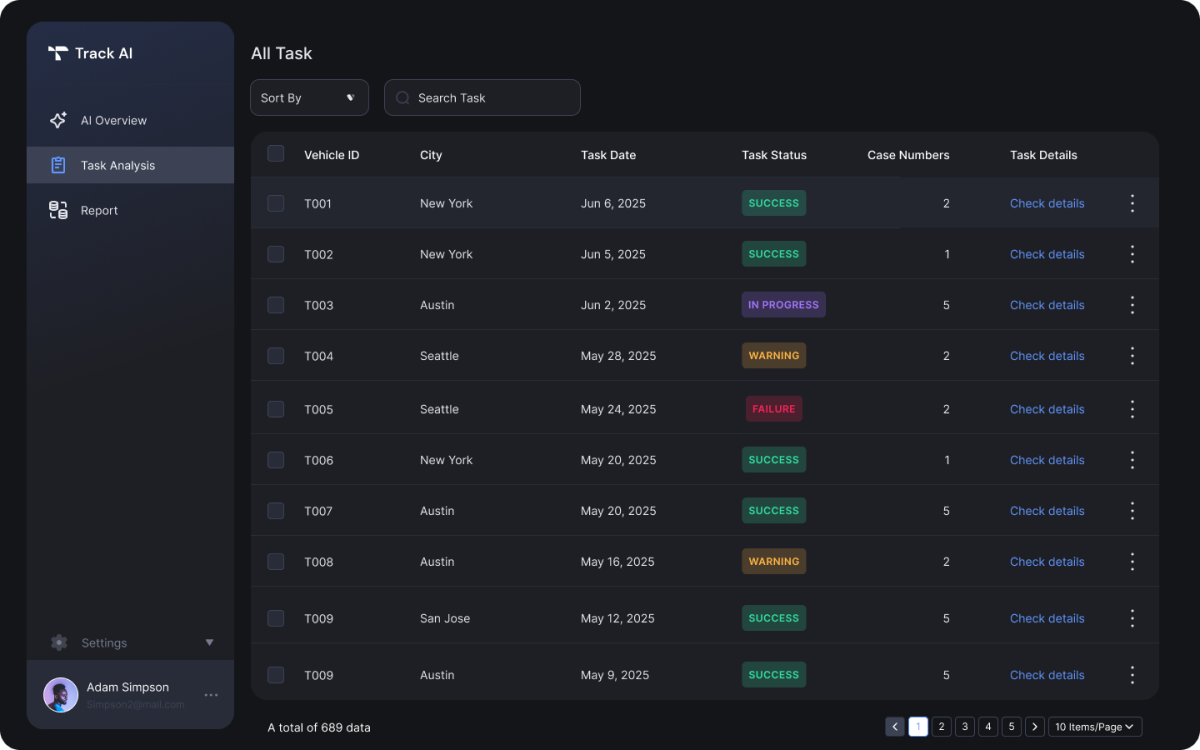
Module 02
Task Analysis
• Searchable list of all trips
• Access to full task timeline and driving detail
→ Scales with fleet size and review load
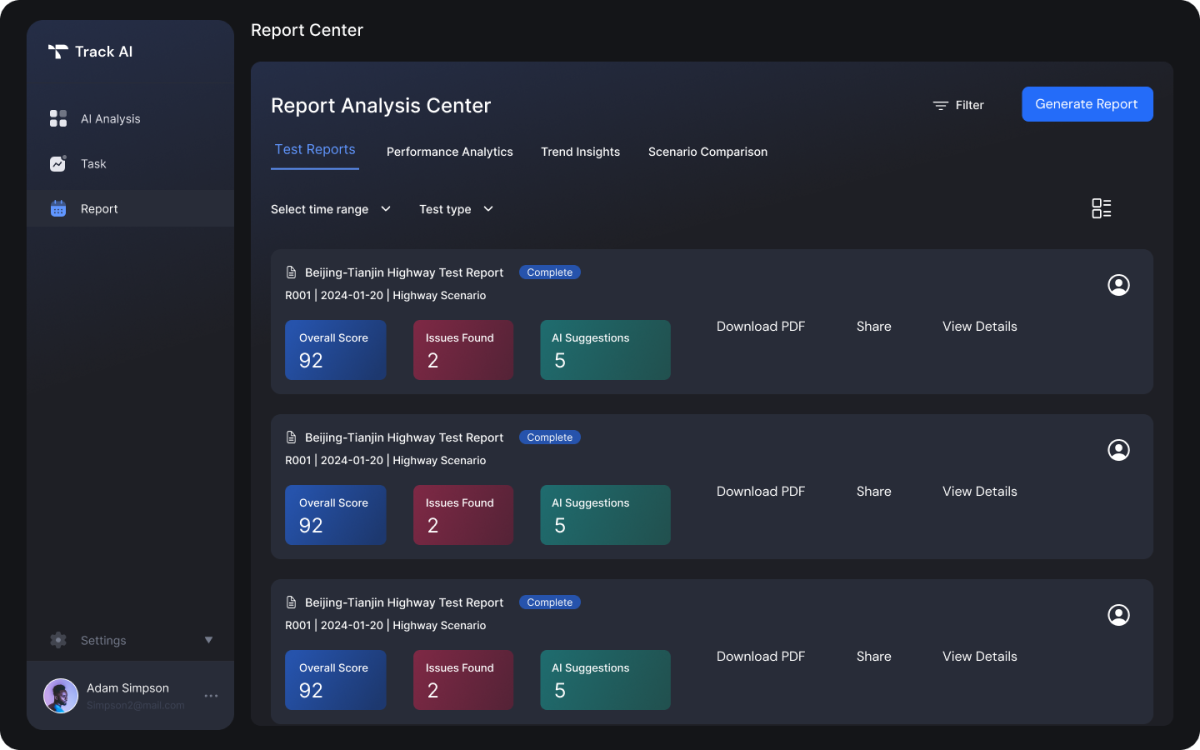
Module 03
Report Center
• Exportable test reports with score, issues, suggestions
→ Supports documentation and AI model iteration
Design highlight 02
Task Flow — One unit, three phases
3 phases for each trip — structured for end-to-end traceability.
Phase 01
Pre-Drive
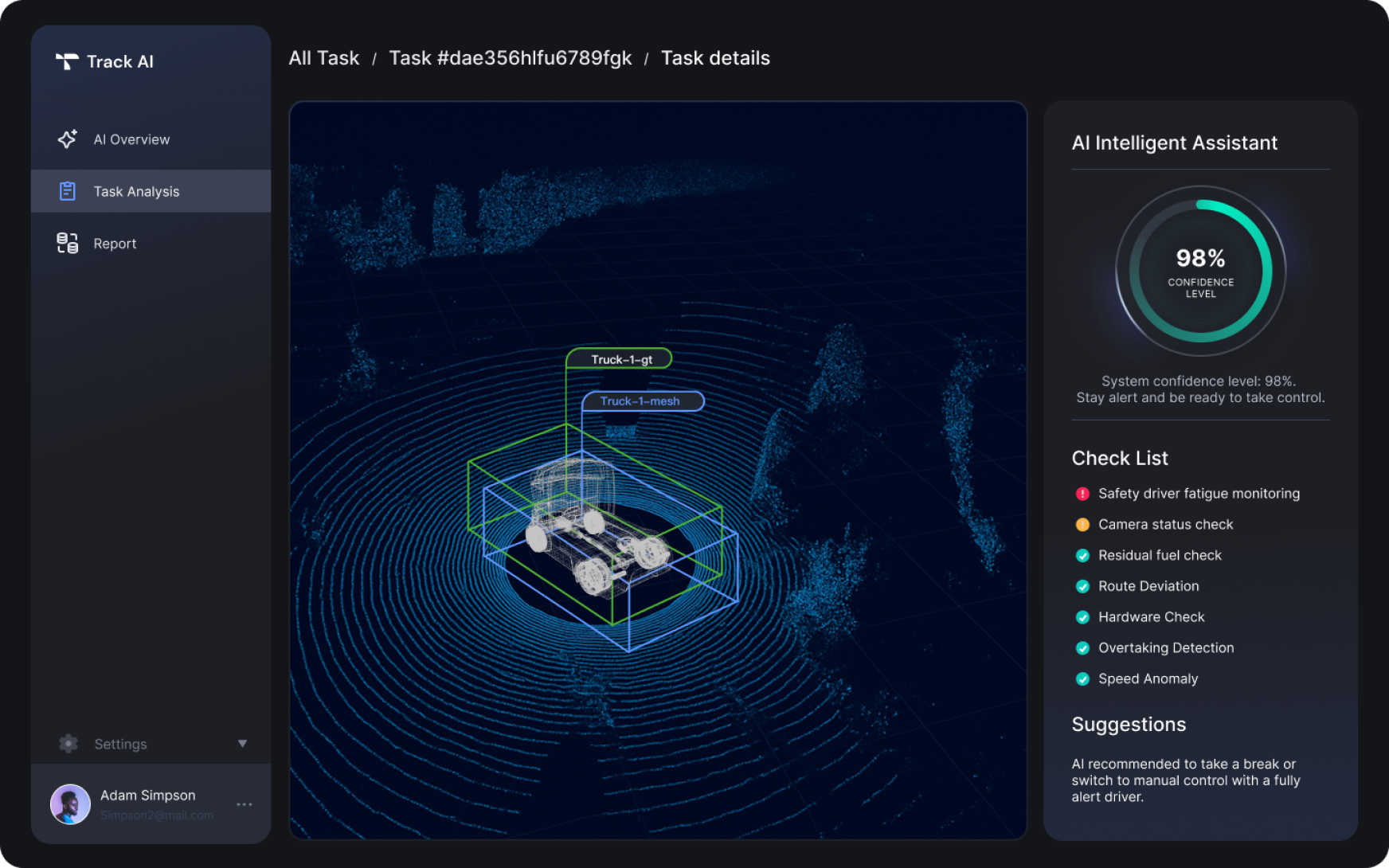
• AI confidence score + system checklist
→ Ensures readiness before every trip
Phase 02
During Drive
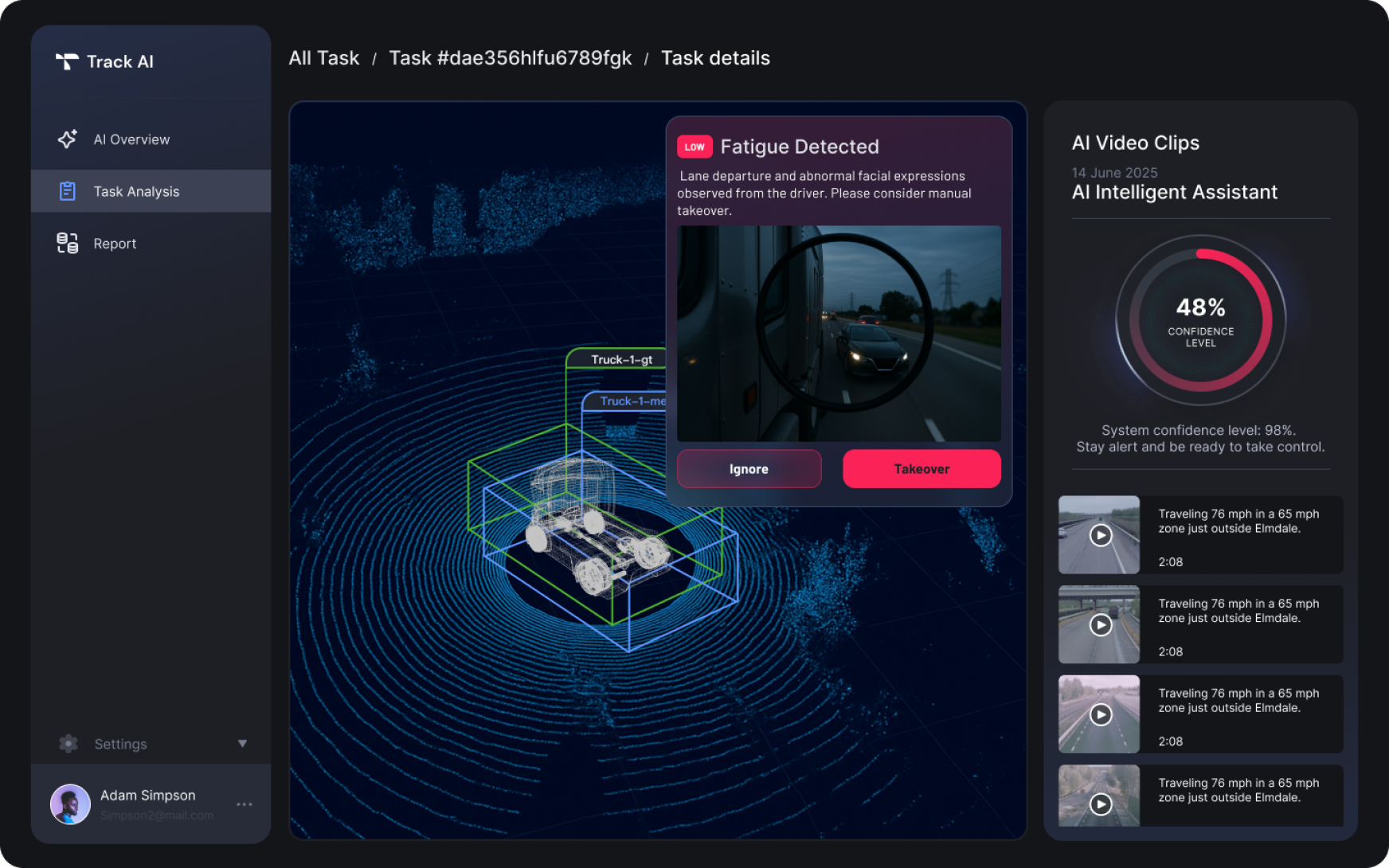
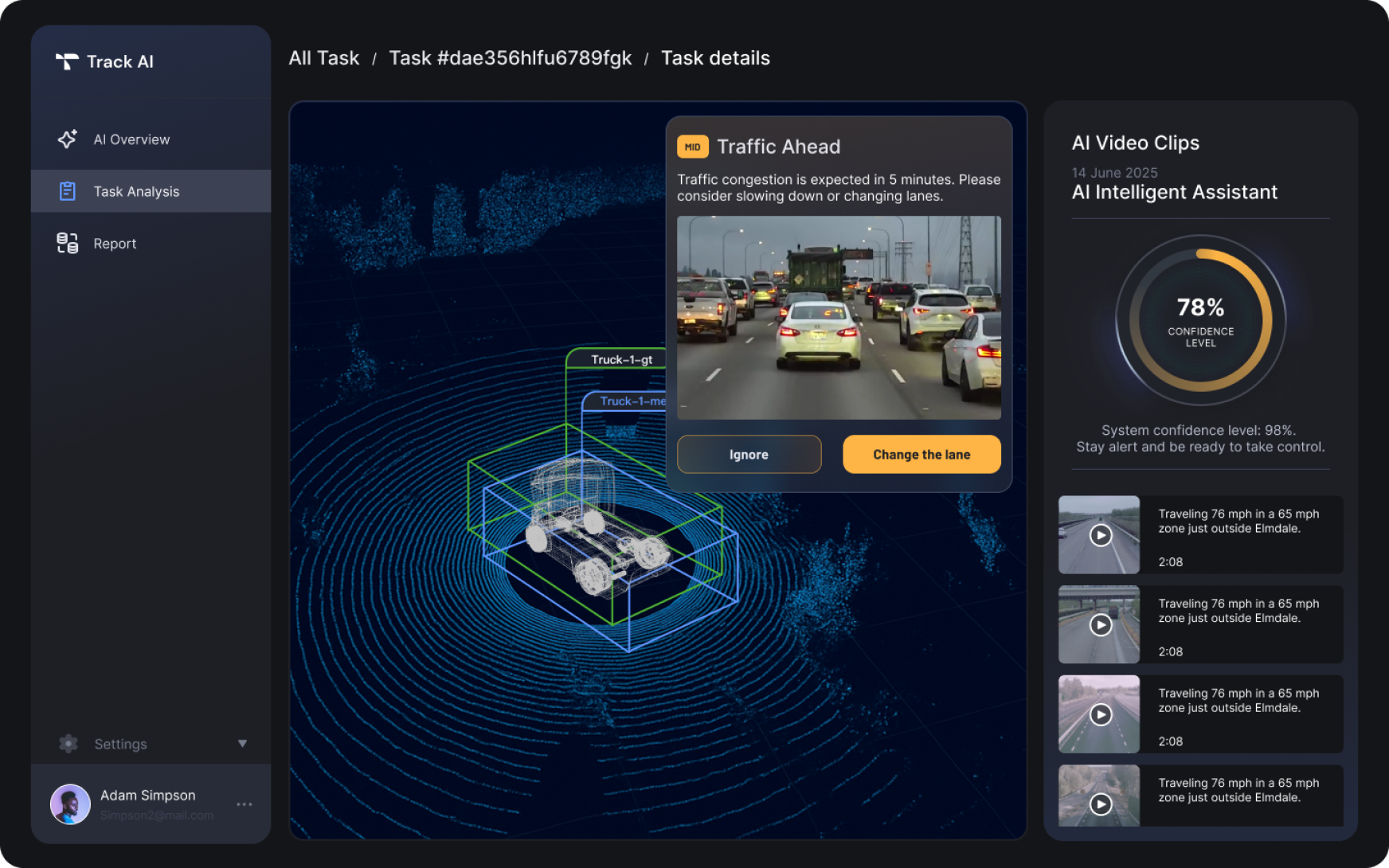
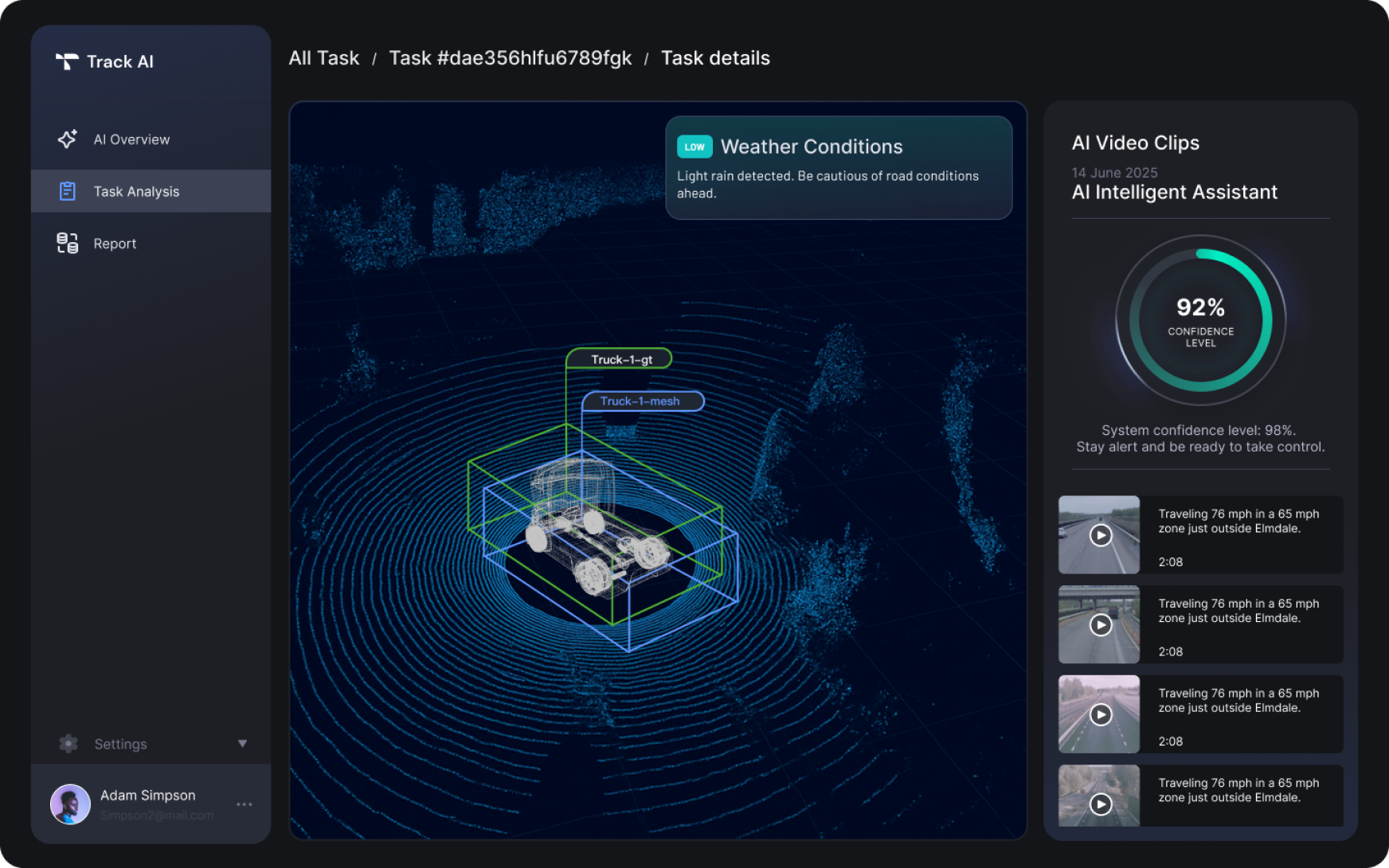
• Color-coded risk cards: green / yellow / red
• Syncs to radar + live video timeline
→ Balances alert visibility and driver focus
Phase 03
After Drive
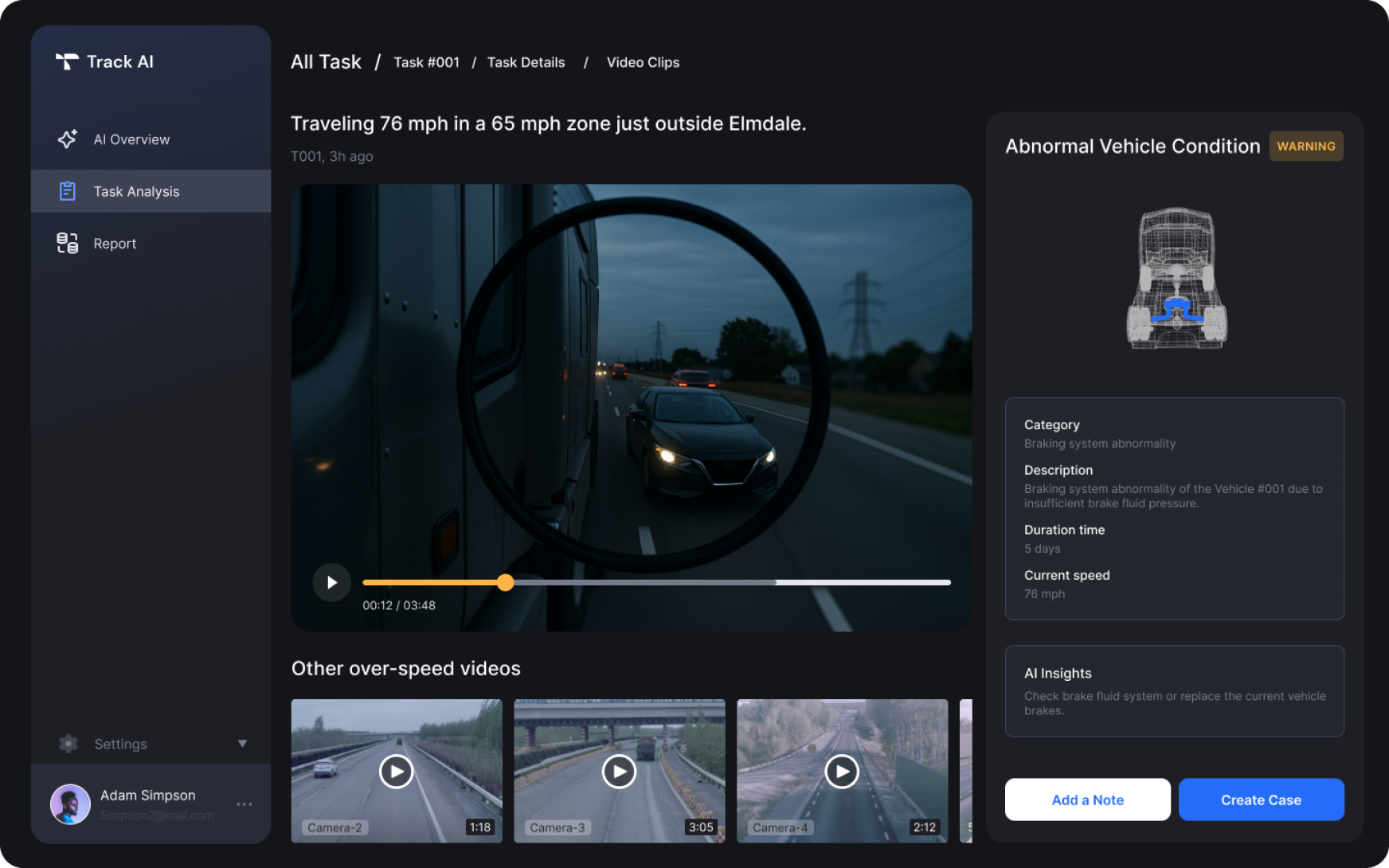
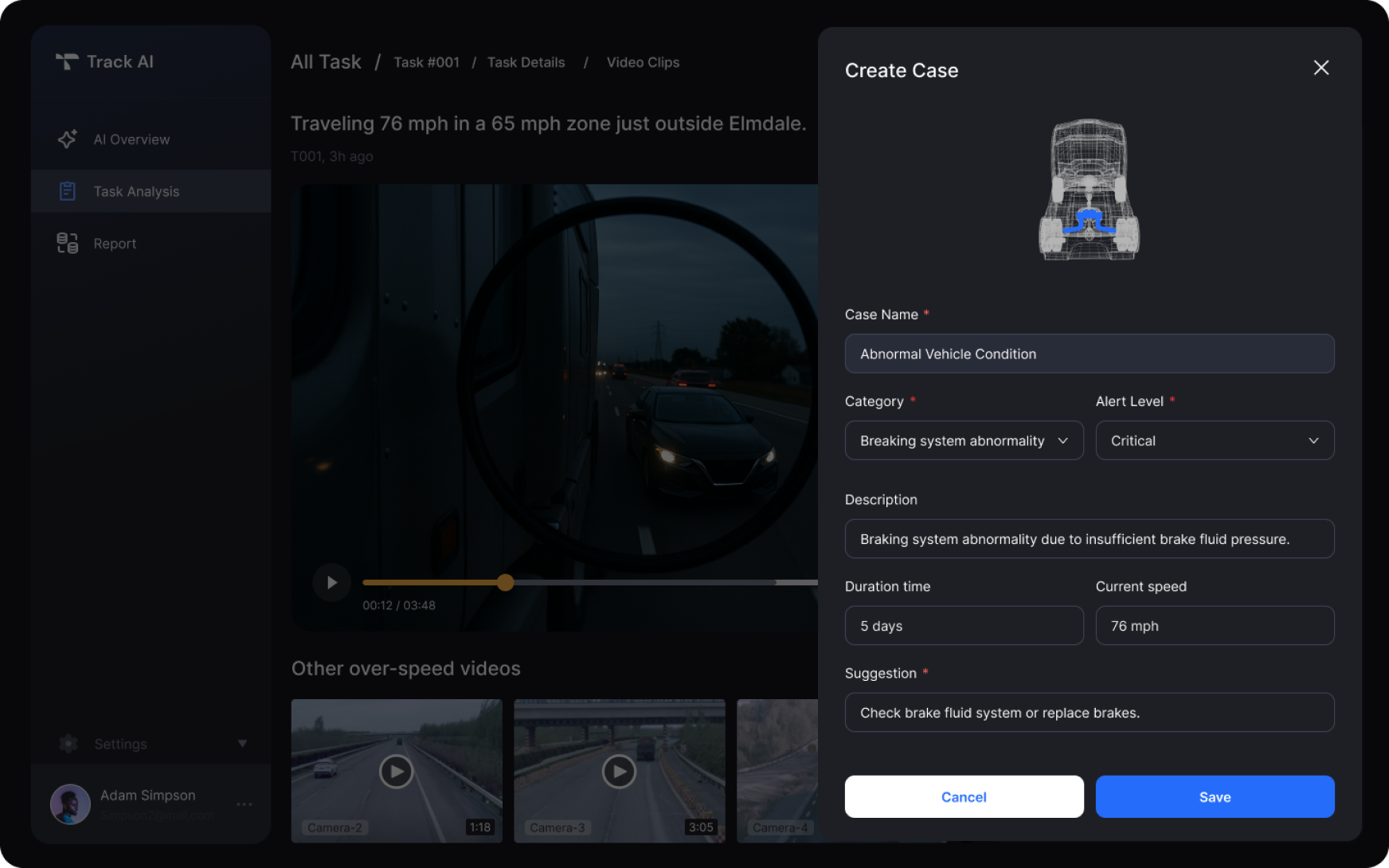
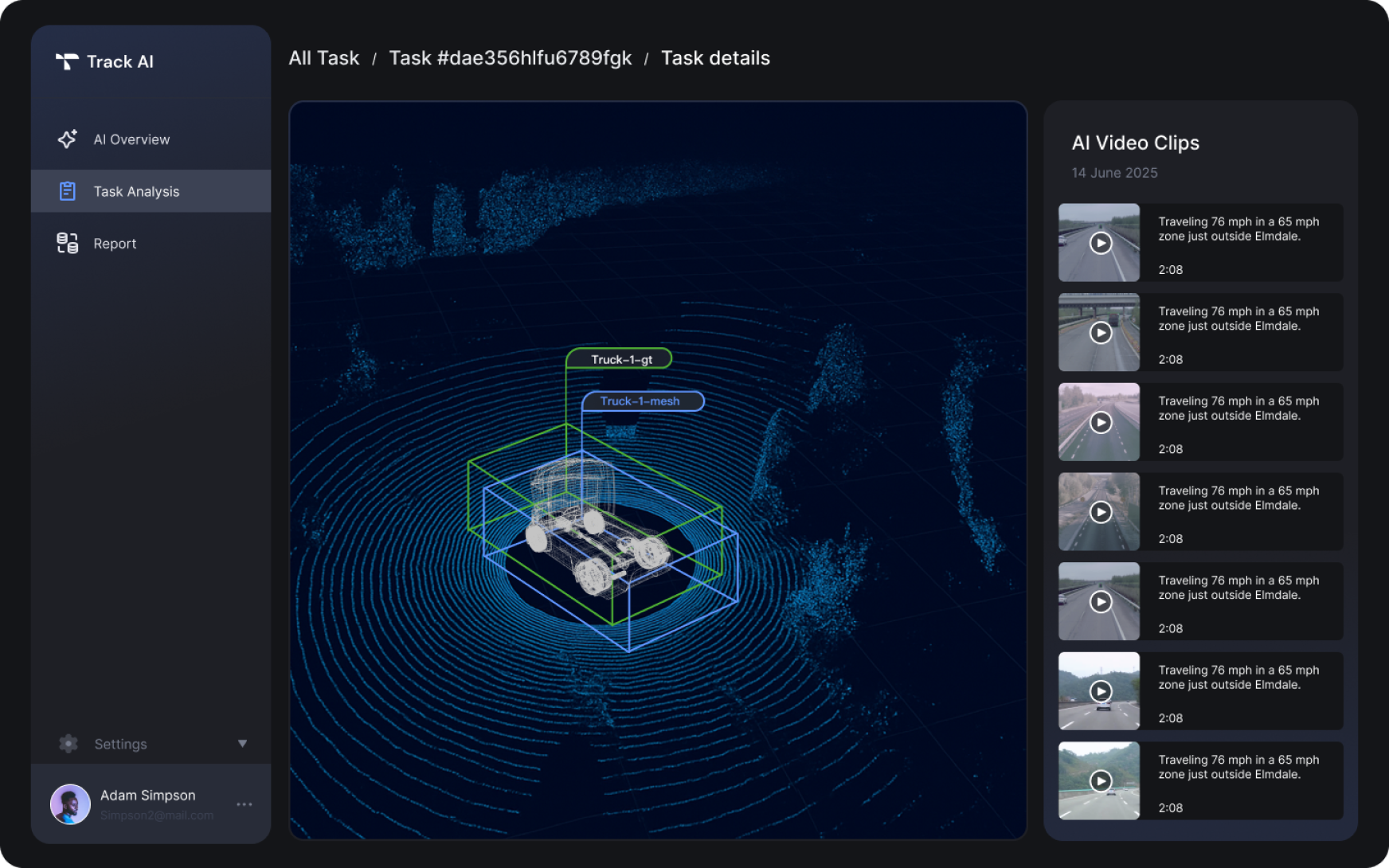
• AI-sliced video clips
• Reviewer can annotate, create cases in 1 click
→ Makes post-trip learning structured and scalable
Design highlight 03
HMI for real-time safety
Supporting safety drivers through clarity and feedback.
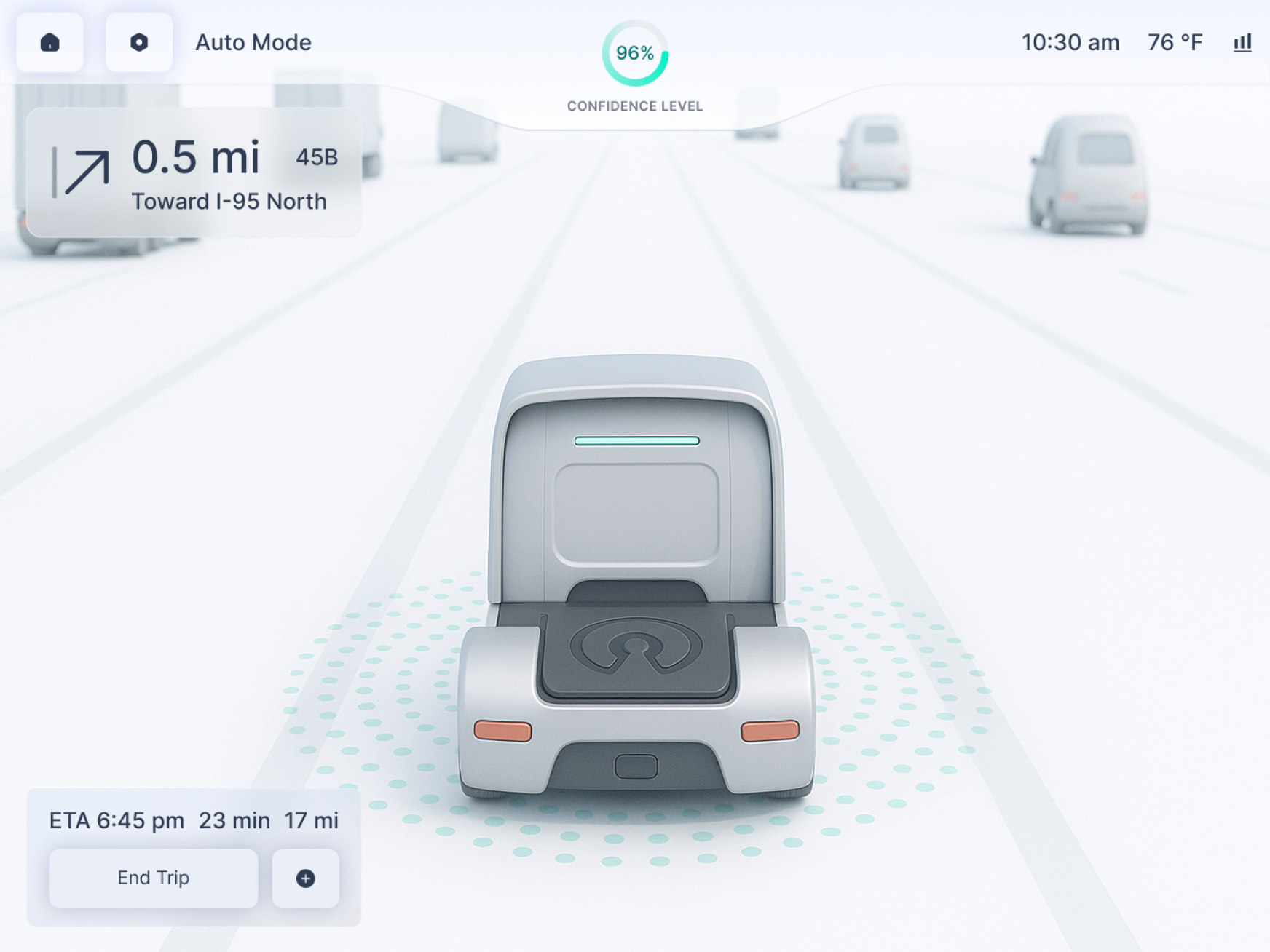
HMI · 01
Confidence Level Display
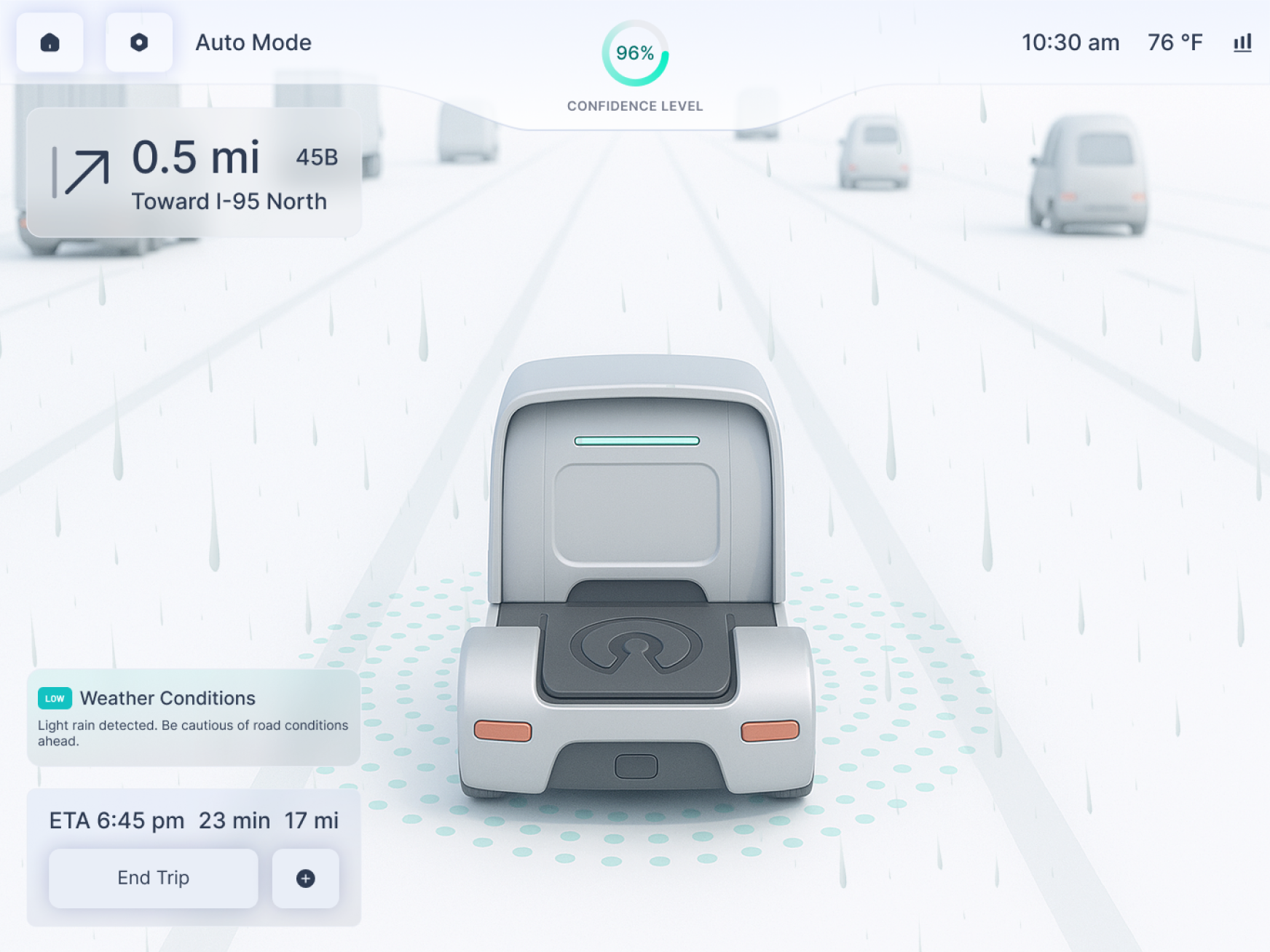
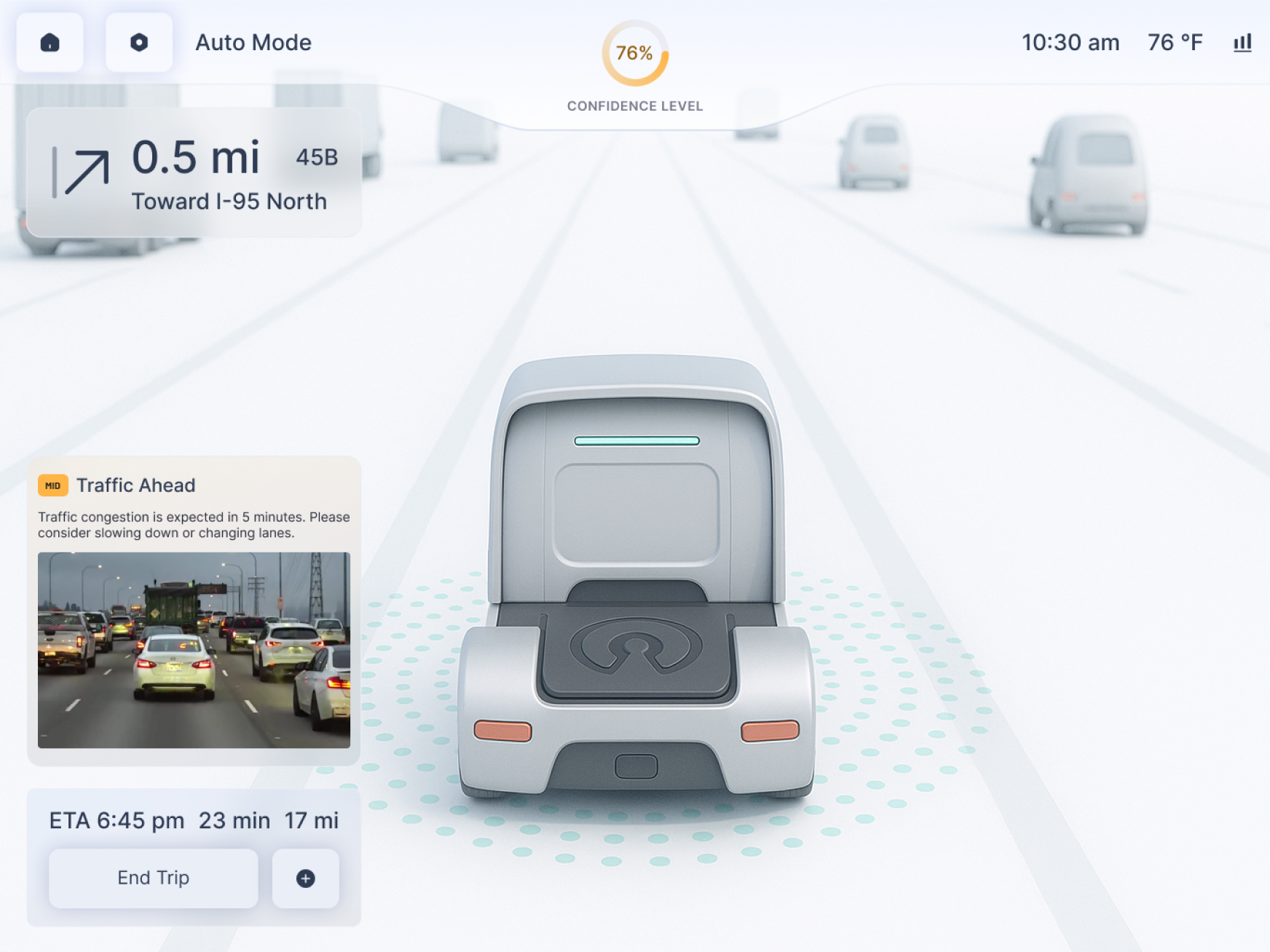
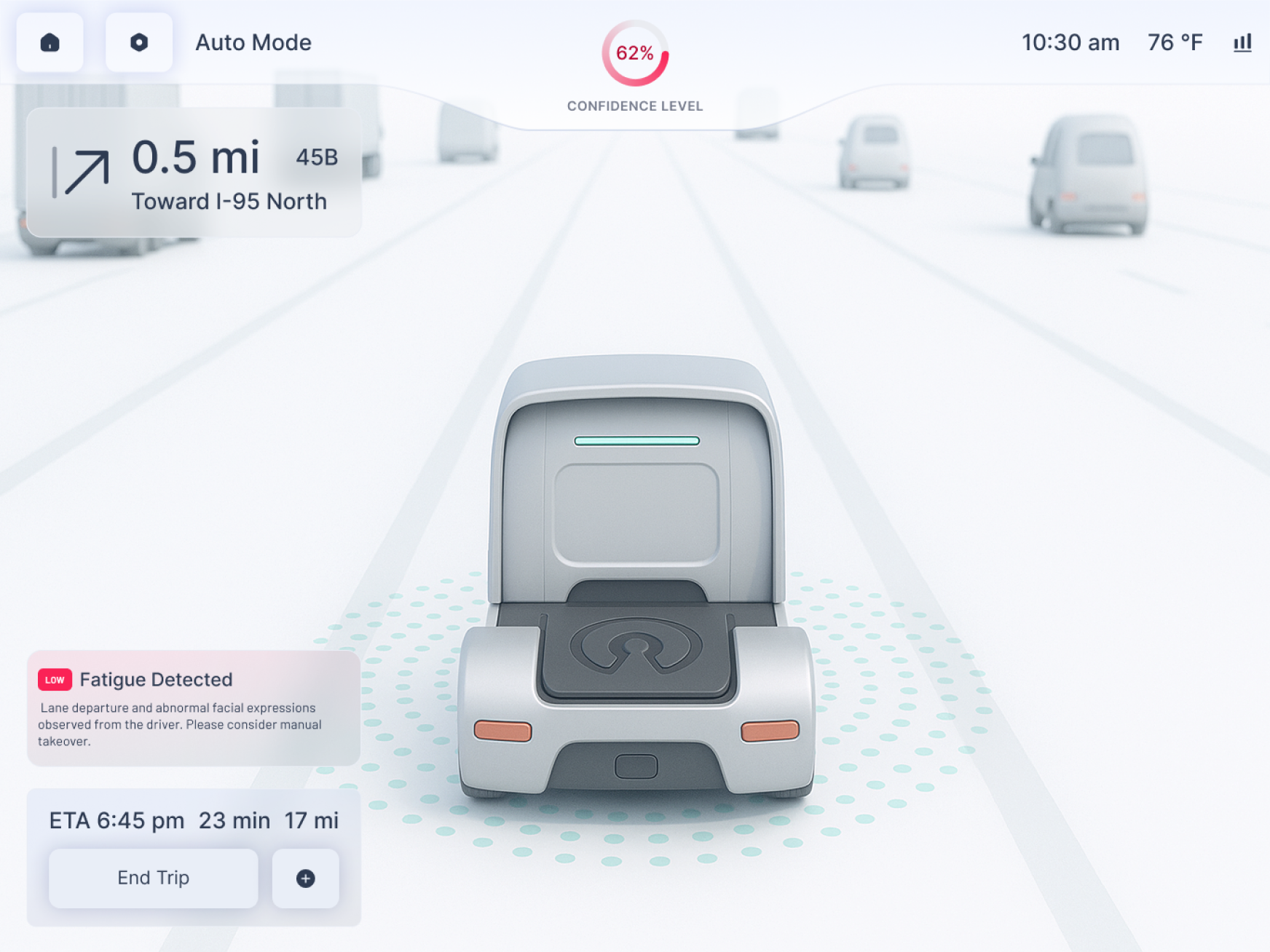
• Persistent, low-distraction indicator of system trust level
HMI · 02
Risk Cards
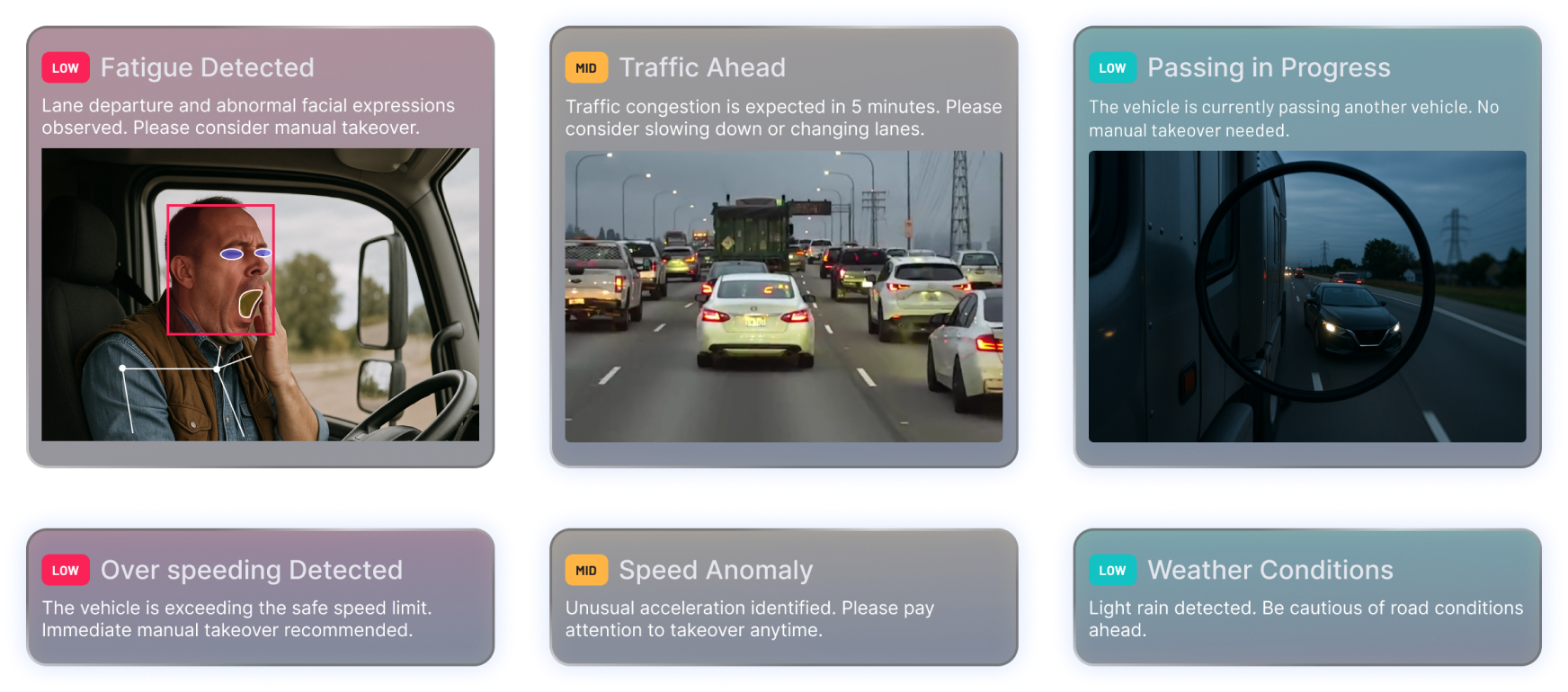
• Tiered alerts with corresponding actions — manual takeover, review, or ignore
HMI · 03
Adaptive UI
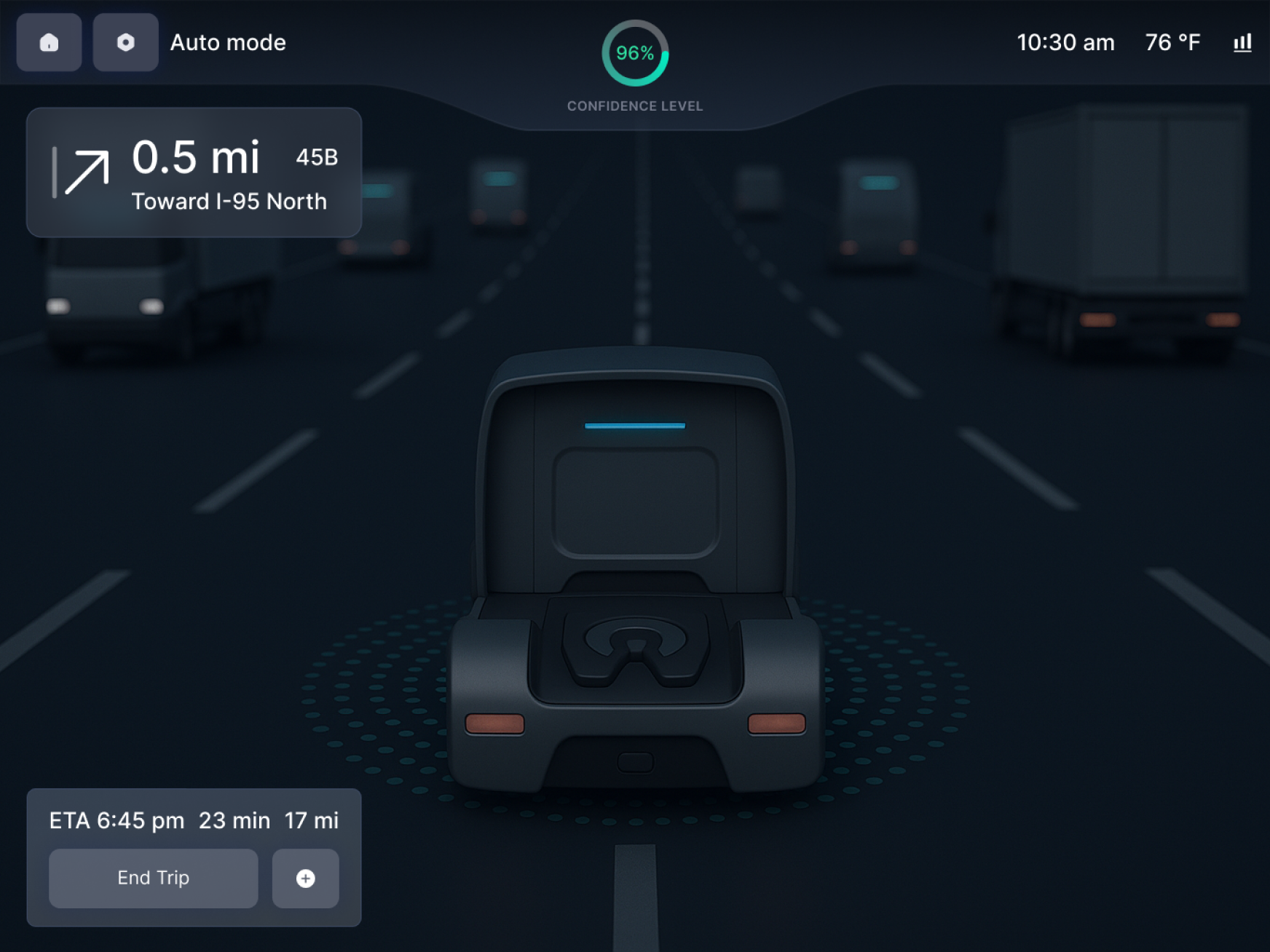
• Auto switch between light/dark modes based on driving environment
→ Supports clarity and comfort in varied in-cabin conditions
Impact
Driving clarity, speed, and safety at scale
01
Reduced review time through structured video slicing and task-based layout
02
Enabled safer decisions via real-time confidence feedback and risk card visibility
03
Unified design language streamlined communication between HMI and backend teams
04
Scalable framework supports future AI integration and system-wide learning
Reflection
What I learned and why it matters
This project deepened my ability to design across dual-end systems, thinking through real-time urgency and asynchronous review.
I learned how to balance automation and human control, especially in safety-critical settings.
The task-centered structure helped clarify how product design can streamline multi-role workflows.
The takeaway
Most importantly, I developed a stronger sensitivity toward designing confidence, not just interfaces — supporting clarity, trust, and action in high-stakes environments.